Today’s workplace increasingly relies on productivity software as its foundation for success. All aspects of how modern teams function are now reliant upon having integrated workspaces, including but not limited to task management, knowledge sharing, and global team collaboration.
Two of the biggest players in this market include ClickUp and Notion. Each of these companies strives to replace the use of disparate productivity applications by offering one central hub.
Even though both systems provide platforms that can meet your team’s needs, the way they approach problem-solving is quite different.
This detailed comparison will give you an overview of the key differences between ClickUp and Notion, so that you can select the right solution for your needs in 2026.
The Rise of the All-in-One Workspace
Workers want to be able to use everything in one place instead of having to use different apps for notes, task lists, and working with others. A single solution that provides all three functions is preferred.
ClickUp and Notion both accomplish this, but in very different ways. Both platforms offer multiple solutions for creating
- Tasks
- Documentation
- Collaboration between team members
- Templates
- Dashboards
- Integrations
While both applications appear to be doing the same thing, the intent of each is different. ClickUp offers a system that supports structured task and project management, whereas Notion provides a way to organize unstructured knowledge and documentation. Grasping this fundamental difference should aid you in choosing your tool.
What Is ClickUp?
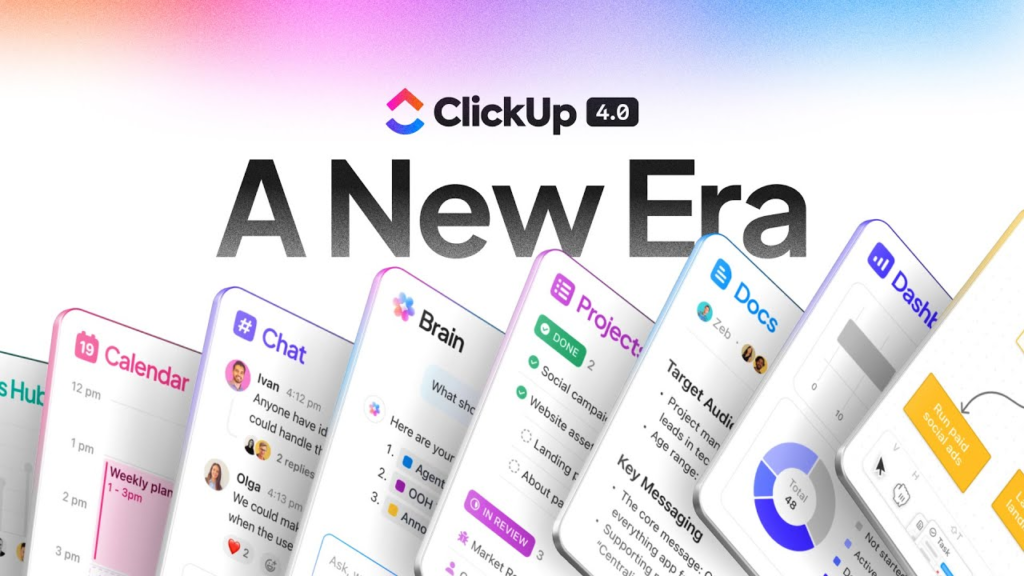
ClickUp is an advanced project management tool specifically designed for teams with structured workflows, detailed controls, and extensive process automation capabilities. It allows teams to organize, monitor, and manage complex projects on one dashboard while providing automation features, time-tracking functions, and multiple views to improve productivity.
As a project management platform, ClickUp is built for execution-oriented teams that have many projects due within specific time frames, dependencies between tasks, and established processes.
- Some key strengths include:
- Advanced task management
- Workflow automation
- Time-tracking functionality
- Goal-tracking functionality
- Dashboard/reporting capabilities
- Collaboration tools for team members
ClickUp serves as a centralized point of control for companies that manage extensive projects simultaneously.
What Is Notion?
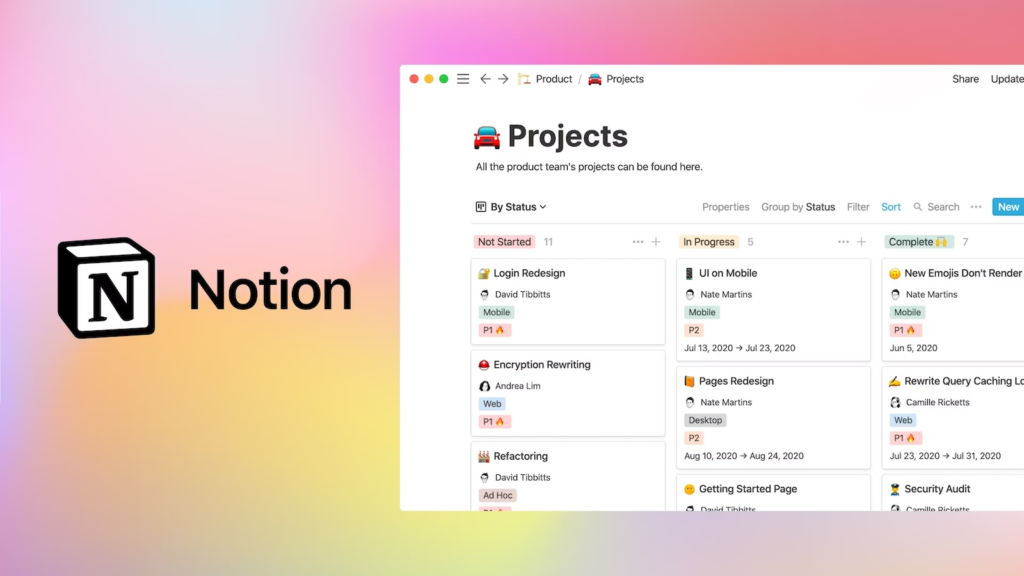
Notion is a flexible workspace designed for notes, documentation, and custom-built systems.
Instead of focusing primarily on tasks, Notion is built around pages and databases. This makes it ideal for teams that prioritize information, structure, and documentation.
It is widely used for building wikis, knowledge bases, and internal documentation systems.
Key strengths include:
- Documentation and wikis
- Databases
- Notes and content storage
- Custom templates
- Knowledge management systems
- Flexible page layouts
Core Feature Comparison
Managing Tasks
ClickUp dominates in managing tasks. ClickUp has an all-encompassing task management system and is tailored for complex work processes.
ClickUp is superior in managing tasks due to its many capabilities, which include:
- Task dependencies
- Time tracking
- Automated rules
- Workflows reporting on status
- Hierarchical management of tasks
- Sprint and agile management
While Notion allows for task management using its database, ClickUp excels in sophisticated project management.
Winner: ClickUp
Documenting and Managing Knowledge
Notion dominates documentation. Notion is the supreme tool for creating the team’s knowledge in the form of:
- Wikis
- Standard Operating Procedures (SOPs)
- Knowledge bases
- Internal guides
- Research notes.
ClickUp also supplies documentation capabilities, yet they do not come close to the flexibility of Notion, which allows users to create and manage pages as desired.
Notion also provides the user with the power of database capability, allowing for organized documentation.
Winner: Notion
Automation
When it comes to controlling automated activities, ClickUp has a distinct advantage.
ClickUp supports:
- Automatically assigning tasks
- Updating task status
- Notifying users
- Creating multistep workflows
In contrast, Notion has limited productive automation power and often uses third-party systems to automate activities.
ClickUp also provides pre-tested automation templates that have been demonstrated to save users considerable time.
Winner: ClickUp
Customization
Both applications have high customizability, but customization differs between them.
The focus of ClickUp customizability is:
- Task workflows
- Statuses
- Views
- Automated activities
On the other hand, the customizability in Notion is concentrated on:
- Customizing how to create pages
- Data bases
- Templates
- Flexible structural design
Winner: Notion
Views and Visualization
ClickUp provides a wider range of views, including:
- List view
- Kanban board
- Calendar
- Timeline
- Gantt chart
- Workload view
Notion offers fewer visualization options:
- Table
- Board
- Calendar
- Gallery
- Timeline
ClickUp gives better visibility for complex project tracking.
Winner: ClickUp
Pricing Comparison
Both platforms offer free plans and similar paid pricing ranges.
- ClickUp: Free to around $25 per user/month
- Notion: Free to around $25 per user/month
ClickUp often includes more features natively, such as automation and time tracking. Notion may require integrations for similar functionality.
For teams with complex workflows, ClickUp often delivers better value.
Ease of Use
Neither app is easy for new users. ClickUp might feel overwhelming with its many features, but Notion might be less confusing than ClickUp’s ability to adapt to your work style and create a combination of layouts, tasks, and information to help increase productivity. ClickUp may take longer to learn than Notion to use channels effectively.
Collaboration Features
Both apps provide excellent collaboration features, including:
- Commenting
- Tagging
- Sharing files
- Updates in real-time
ClickUp is more effective with structured collaboration through the use of tasks, while Notion is better with collaboration through documents and knowledge. Many distributed teams today use both apps together.
Best Use Cases
ClickUp is better suited for use by:
- Project Managers
- Distributed teams
- Development teams
- Agencies
- Operations
- Large businesses
ClickUp will provide the optimal level of effectiveness when the highest priority is assigned to building a structure or completing a specific task.
Notion will prove most effective for:
- Startups
- Writing teams
- Writers
- Researchers
- Students
- Knowledge-based teams
Notion will provide the highest level of efficacy when information organization is the highest priority.
Remote Team Productivity
Remote teams need three core things:
- Visibility
- Communication
- Organization
ClickUp provides visibility through dashboards and structured workflows. Notion provides organization through documentation and knowledge systems.
Many remote teams use ClickUp for execution and Notion for internal knowledge management.
Pros and Cons
ClickUp Advantages
- Excellent Task Management
- Automation
- Variety of Workflow Views
- Time Tracking
- Dashboards
ClickUp Disadvantages
- Could be Complicated
- Learning Curve is Steeper
- Overly Busy Interface for New Users
Notion Advantages
- Flexible
- Modern Interface
- Great Documentation
- Databases
- Custom Layouts
Notion Disadvantages
- No Automation to Speak of
- Basic Task Management Capabilities
- Time to Set System Requirements
- Can Become Disorganized Without a Clear Structure
Which Tool Scales Better?

ClickUp is the best option for operations with complex requirements, whereas Notion is ideal for operations where the knowledge that will be created and maintained over the long run is extensive. When determining the proper application, keep in mind your business’s main focus.
ClickUp vs Notion for Startups
There is a tension within startups between the desire for structure and the desire for flexibility.
ClickUp has a high level of structure, whereas Notion offers maximum freedom and flexibility.
Many early startup companies utilize Notion as their initial operational tool because of its flexibility in how it can be implemented initially. As their businesses expand and as their workflow processes develop, they typically transition to using ClickUp for all of their operational needs.
Some organizations use ClickUp and Notion together in parallel to perform their business operations.
Ecosystem for Integration
Both applications integrate into many large, popular platforms. Here are some examples:
- Slack
- Google Drive
- Github
- Zoom
ClickUp offers more robust integration workflows than Notion. While Notion has improved significantly over previous versions, it continues to be a less robust form of workflow integration.
Examples from the Real World
Picture a developing company’s personnel — developers, designers, marketers, and management.
ClickUp is used to track tasks, set due dates, and to execute project workflows. Notion is used as a repository for documentation, standard operating procedures, and all data internal to your organisation.
Together, they support the total productivity environment.
Conclusion
ClickUp and Notion are not two tools that can be unequivocally ranked against each other; each resolves an entirely different challenge.
Choose ClickUp if you need:
- Structured way of operating
- Automation
- Project tracking
- Reporting
Choose Notion if you need:
- Flexibility
- Documenting processes
- Documenting and reporting on your knowledge base
- Databases (that can be customised to fit your environment)
Which of the tools will outstrip the competition, will not be the most powerful option, but instead will be determined by how well each of the tools meets your unique work pattern.