Digital marketing continues to grow as a video-centered form of communication. Vendors are utilizing videos for marketing, new product releases, employee training sessions, support of clients, and growing their social media reach. There is a tremendous amount of video content across all major platforms such as YouTube, LinkedIn, TikTok, Instagram, and company websites.
AI video generation tools will enable you to develop a high-quality marketing video in a short period of time without having to spend a lot of money or be an expert in video production. Using these tools, you can take text prompts, scripts, blog posts, and images that are available online and generate videos quickly, usually with the assistance of pre-built AI avatars, automated voice-over capabilities, subtitles, built-in editing tools, and support for multiple languages. You will create your marketing videos in minutes instead of days.
In this comprehensive guide, we will list the top 10 AI video generation tools along with how to use them along with their features that are most important for you to utilize to help you generate short video marketing videos from the platform you select to help you achieve your workflow goals/needs.
Why AI Video Generators Matter in 2026?
AI-powered video software is now consumed as a natural or required component in the business infrastructure of many organizations. Therefore, video is today commonly utilized by organisations as a tool for engaging audiences, generating leads, educating customers about products, and retaining them.
Audience expectations continue to increase. Users now expect quick, visual, and mobile-compatible content, accessed on any platform or device. Businesses can use AI video tools to fulfil these needs. Most ai video generators offer:
- Text to Video Creation
- AI Avatars
- Scripted Edit
- Automatically Add Subtitles
- AI Voiceover
- Video Localisation
- Brand Template
- Social Media Formatting
And you can save money on producing your content (ie: marketing team can now produce dozens of videos a month without having to engage an entire video production company).
Many businesses integrate AI Video Software and productivity tools, design tools, and content marketing solutions. The integration of these solutions allows for an improved content workflow and greater speed of producing content along with improved publishing consistency.
How We Evaluated These AI Video Generators
We evaluated the platforms according to these main criteria:
- Video quality
- Simplicity/Ease of use
- AI automation tools
- Editability
- Voiceover quality
- Scalability for the business
- Range of templates
- Speed of rendering
- Tools for collaboration
- Overall value for money
While some tools are designed for enterprise level training videos, others are designed to generate cinematic quality videos using AI technology or to automate the video production process for social media marketing. Which platform is best for you will depend upon your style of content creation and what you want to achieve with your project.
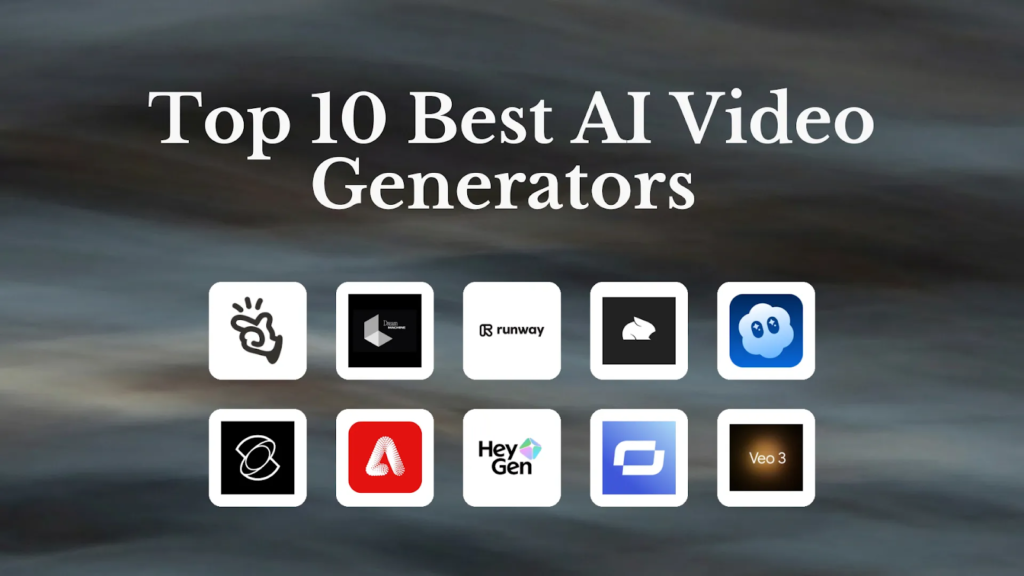
Best AI Video Generators in 2026
| Tool | Best For | Key Strength |
| Synthesia | Corporate training | AI avatars |
| Runway | Creative projects | Generative AI video |
| Pictory | Blog content | Text-to-video |
| Canva AI Video | Beginners | Easy editing |
| HeyGen | AI spokesperson videos | Realistic avatars |
| Lumen5 | Marketing teams | Blog conversion |
| InVideo AI | Social media videos | Templates |
| Descript | Video editing | Script editing |
| Veed.io | Quick video production | Simplicity |
| Colossyan | Enterprise learning | Training workflows |
1. Synthesia
Synthesia continues to be considered the top AI video generator for corporate use. It specializes in creating an avatar video for presenters using only the script provided to create high quality customizable video that is presented by an AI presenter. A large number of companies around the world have found Synthesia to be the best solution for creating employee onboarding and training videos.
Key Features
- Creating your virtual AI Presenter
- Multiple languages for voice overs
- Generating video from text
- Corporate Templates
- Customizing your Brand
Best Use Cases
- Training Videos
- HR Communication
- Educational Tutorials
- Company Updates
Companies looking for scalable video production across departments and regions will find the best use of Synthesia.
2. Runway
The Runway is a platform that caters to those who need tools for advanced AI generation in areas such as video production, design, and content creation by offering some of the most powerful generative capabilities available today.
Cinematic scenes can be generated from basic text prompts; it also allows motion editing, object removal, animation of still images, and application of advanced visual effects. Runway is the preferred choice for creators looking for high-quality, experimental visual or film production work.
Key Features
- Text-to-Video AI
- Scene Generation using AI
- Tools to Edit Motion
- Visual Effects
- Animate Images
Best Use Cases
- Creative Campaigns
- AI Filmmaking
- Experimental Content
- High-End Marketing Videos
Runway provides more artistic flexibility to creators than most other video platforms that focus on commercial uses for AI technology.
3. Pictory

Content marketing automation & repurposing platforms like Pictory enable marketers and other writers to convert long-form documents into short video pieces. For instance, Pictory allows bloggers or marketers to take their blog posts and convert them into video summaries. Pictory automatically creates video content by using preselected images, captions, and transitions. This function saves time for those businesses producing vast quantities of written content on a monthly basis.
Features
- Convert Blogs to Videos
- Automatically add Captions
- Create AI Voice Over
- Script Based Edit
- Stock Media to use for each piece of video you create
Best Use Cases
- To create Content Marketing or Video for YouTube
- To create video content for LinkedIn
- To generate Video from Repurposed Blogs
Pictory is an ideal application for agencies or publishers who need to create short duration video content on a repetitive basis.
4. Canva AI Video
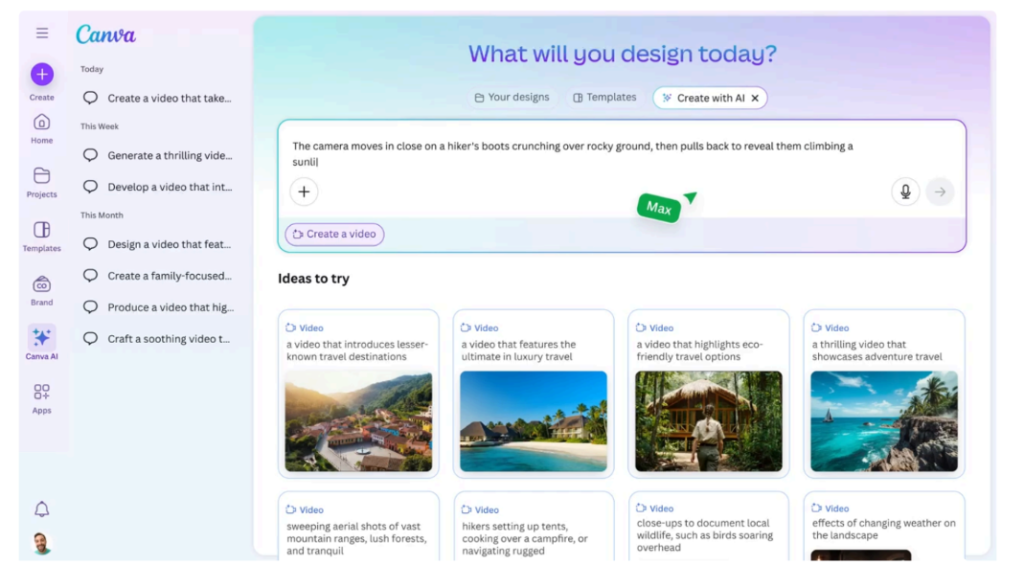
Canva has become much more than just a graphic design platform. It now offers a robust suite of AI Video Creation tools known as Canva Magic Studio, making it simple to create a variety of video types via a drag-and-drop interface, customizable templates, a selection of animation styles, and voiceovers created from text using the tools available in Magic Studio. By providing the ability to design, present, and produce in one place, Canva is an ideal option for small businesses.
Key Features
- AI Design Templates for Video
- Voiceover Capabilities
- Simple Drag-and-Drop Editing
- Brand Kit Creation
- Animations
Best Use Cases
- Promoting Your Business
- Social Media Posts
- Promotional Videos
- Ease of Use For Novices/First-Time Users
Canva provides a great balance between usability and productivity.
5. HeyGen
HeyGen is a leader in avatar video creation and digital presentation utilizing artificial intelligence technologies. Avatar video creation is accomplished with very little manual editing required for any part of the process. The company provides both the ability to generate multilingual videos using AI voice cloning and translation technologies quickly and easily. Many of the world’s largest companies use HeyGen for their localized marketing efforts and training initiatives.
Key Features
- AI presenters
- Voice cloning capabilities
- Full translation support
- Video template library
- Script automation features
Best Use Cases
- Product demonstrations
- Marketing campaigns
- Video training materials
- International communication
HeyGen allows businesses to create professional quality spokesperson videos without the need for traditional studio production.
6. Lumen5
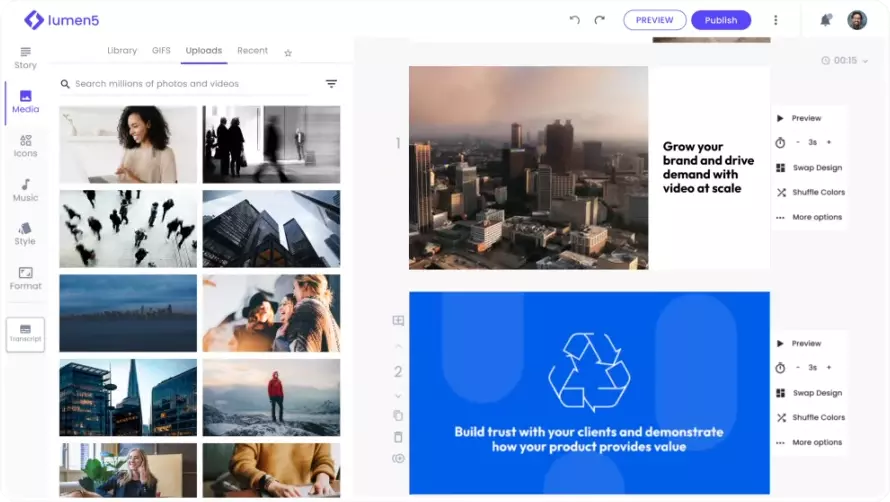
Being focused on marketing and creating brand stories, Lumen5 provides a platform that allows you to quickly transform written content into a series of visually appealing videos to use for social media. The workflow for marketers using the tool is easy, and the tool automates the process of creating scenes. Additionally, Lumen5 includes tools for branding so that companies can ensure visual consistency throughout all of their content.
Key Features
- Blog to video conversion
- AI generated scenes
- Custom branding
- Media library
- Easy to use editor
Best Use Cases
- Brand marketing
- Social media videos
- Content marketing
- Agency Workflow
Lumen5 is the ideal tool for content publishers who produce new content often and distribute it via multiple channels.
7. InVideo AI
InVideo AI blends automation and manual editing ability. Users can create videos using prompts and scripts and template based design. InVideo is often used by YouTube creators as well as for ad creation and short form social media content creation. InVideo provides video assets (both video/audio), AI voiceover capabilities (English language), multiple types of templates to use in video creation: audio, images, stock footage, etc.
Key Features
- Prompt-based creation
- Video Templates
- AI voiceover assistance
- Media Library
- Video Editing Tools.
Best Use Cases
- YouTube Video Creation
- Ad Creation
- Social Media Campaign Creation
- Promotional Video Production.
InVideo is an excellent resource to marketers/members looking to produce content quickly without sacrificing their creative control.
8. Descript
At Descript, we are redefining how people typically think about video editing by creating an innovative new way for users to edit videos using text versus traditional timelines. For example, you can delete a word from the transcript in a video and then the software will automatically update the video. Because the workflow is faster and easier than traditional video editing software, many podcasters and educators prefer Descript for editing their videos.
Key Features
- Text Editing
- Voice Cloning
- Transcription
- Screen Recording
- AI Cleanup Tools
Best Use Cases
- Podcasts
- Tutorial Videos
- Interviews
- Educational Videos
Ultimately, if you’re working with video of recorded conversations or for screen-based content, then Descript is the perfect solution for you to use while creating your video’s content!
9. Veed.io
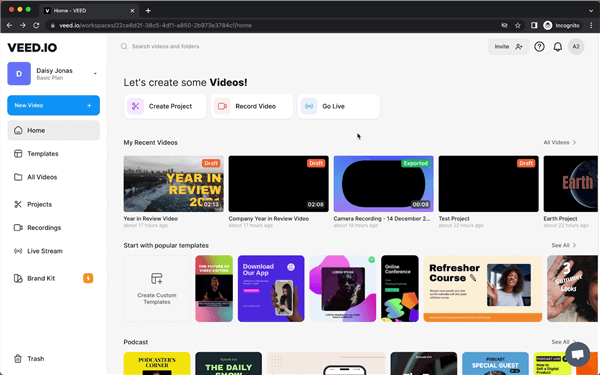
Veed.io provides an innovative combination of traditional tools for video editing with AI-generated automation. An easy to use interface, rapid workflow, and templates allow creators to produce their content quickly and efficiently. As such, multiple companies use it for subtitles, short-form videos, marketing videos, and much more! Also, Veed has a comprehensive library of effects created by experts in the industry and can assist editors through AI-assisted functions.
Key Features
- Automatically generate subtitles
- Video templates
- AI editing tools
- Effects library
- Format videos for social media
- Provides a fast and easy experience to produce video with no advanced editing skillset required.
Best Use Cases
- Tiktok
- short-form marketing videos
- Team collaboration
The ideal user for Veed.io is someone who wants results fast but does not have extensive video editing capabilities.
10. Colossyan
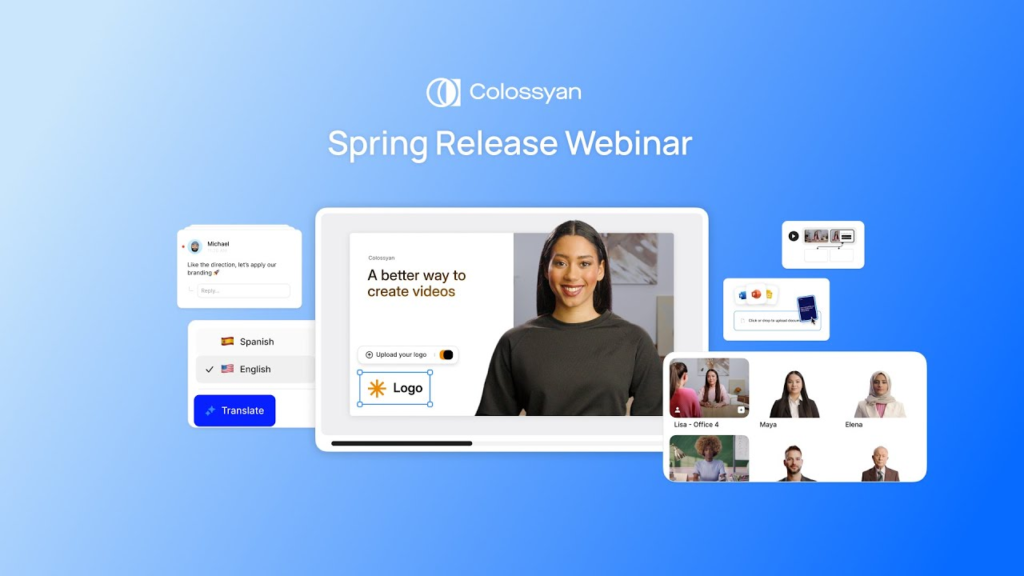
Colossyan provides solutions for automating the creation of corporate training videos using artificial intelligence to support multiple languages and formats through automated localizations. Many large businesses are using Colossyan for their onboarding, compliance training and employee communication.
Key Features
- AI presenters
- Templates for training
- Support for localization
- Voice overs
- Enterprise brand development
Best Use Cases
- Corporate training programs
- Human resources training
- Enterprise education
- Onboarding new employees
Colossyan is ideally suited for structured business learning environments.
Benefits of AI Video Generators
Businesses and content creators can benefit in many ways from utilizing AI video software:
- Faster Production: The average production time for traditional video content is often measured in days or weeks. Videos can be produced in minutes with the help of AI-based solutions.
- Lower Costs: The vast majority of AI video solutions do away with the need for studios, cameras, actors, and large post-production editing teams.
- Easier Scaling: Brands can produce dozens of localized video productions in short periods, aiding in rapid expansion into global markets.
- Better Accessibility: Newer generation platforms allow individuals without formal design training to produce professionally designed content, even if they lack any technical knowledge.
- Stronger Content Output: Marketing departments can create and distribute more video assets across multiple channels at a higher frequency.
Limitations of AI Video Tools
AI video generation still has some limitations.
- Limited Creative Control: Many times when creating an ai generated scene it looks generic or repetitively plain.
- AI Errors: AI generated voiceover, subtitle generation as well as the ai visual generation of whatever is being shown may also need to be edited manually for errors.
- Subscription Costs: Enterprise plans can continue to become very costly if you have a large amount of people in a team.
- Less Human Emotion: AI avatars are not yet capable of entirely recreating natural human emotion in complex storytelling therefore, these types of stories are still more emotional than storytelling without human emotion. However, these are still continuing to improve very quickly.
Best AI Video Generator by Use Case
- Synthesia: The 1 Tool For Business Application(s)
- Runway: The Highest Rated Creative Application (Creative Tools)
- Lumen5: The Best Rated Marketing Application(s)
- Canva Video: The 1 Tool for New Users
- InVideo AI: The 1 Tool Creative Application/Video YouTube/Video Editing
- Descript: The Best Tool to Streamline/Organize Video Editing and Post-Production Processes
- Colossyan: The 1 Training Application Used to Train Employees in a Corporate Environment
The Future of AI Video Creation
The evolution of AI video technology is continuing at an incredible speed. As we move forward, it is expected that future platforms can be used for generating real time videos, creating hyper realistic avatars and producing customised marketing videos. In addition, it is likely that many businesses will take advantage of Ai localisation in an even greater volume than they currently do. Companies are already able to translate training materials into many different languages very quickly (in under an hour).
The use of AI generated influencers and virtual presenters will likely become commonplace in the advertising and social media campaign space as well. For the next several years, the creator economy will rely heavily upon automated video workflows.
Final Verdict
Artificial Intelligence (AI) has drastically changed the way organizations create video. Companies no longer need high-priced equipment or teams of people to create professional quality videos. Each will provide its own unique value. For example, Synthesia currently caters to the enterprise communication space Runway allows for creative generation of video through AI Canva makes it easy for anyone to create video as a beginner and Descript allows you to edit video in a much easier way through text-based controls.
To find the right solution for you and your organization you need to understand what your content goals are, how you intend to create content, and what your budget is. So I recommend that if your company is one of the first to adopt an AI generated video workflow, it will put you in a very strong position when it comes to gaining traction in digital marketing campaigns, increasing customer engagement, and producing content at scale.
FAQs
What is an AI video generator?
Using AI technology to generate a video from either a script, a prompt or from written material, image or video, an AI video generator typically automates the process of editing the video, providing voice over, subtitles and generating scenes for the video.
Which AI video generator works best for beginners?
Canva and InVideo both provide their users with a variety of templates, drag and drop features, and user-friendly workflows so they are great for newer users.
Can AI video tools replace traditional video production?
Traditional video production for marketing, instructional and training is often no longer needed when utilizing AI video production. Cinematic video production that is high quality will almost always still require professional video production.
Which AI video generator suits businesses best?
Synthesia is the top AI video generator option for businesses due to its ability to accommodate the creation of large numbers of training videos, multilingual communication, and AI presenters.
Are AI-generated videos good for social media?
AI Videos have performed very well in TikTok, YouTube Shorts, Instagram Reels and LinkedIn Campaigns and many marketers are using AI tools for producing short-form content.
Do AI video generators support multiple languages?
All of the major video platforms now have voiceovers in multiple languages and support translation tools (synthesia, heygen, etc.). These tools are useful for global collaboration.
How much do AI video generators cost?
Pricing varies by platform and the majority of tools have plans starting from $10-$100/month based on features, export quality and access for teams.
What is the biggest limitation of AI video tools?
Some platforms struggle to offer creative flexibility; therefore sometimes it may be necessary to edit or enhance visuals generated by an AI Video Tool manually.