Preventing cyber attacks in 2026 is now an essential priority for all organisations, rather than just the responsibility of IT. Companies, specifically, small- and mid-sized ones, face an onslaught of cyber attacks on a daily basis as attackers use ransomware, phishing, and stolen credentials to attack the weakest businesses. Most small companies still believe that small or mid-sized company attacks are at a far lower risk than attacking the larger corporations. However, in reality, the majority of small businesses are actually at a greater risk of being attacked due to a lack of security systems and small IT teams.
According to both IBM and Verizon’s reports, the two main causes of security breaches are phishing and stolen credentials. One of these events could result in businesses losing money and time, and damaging their reputation.
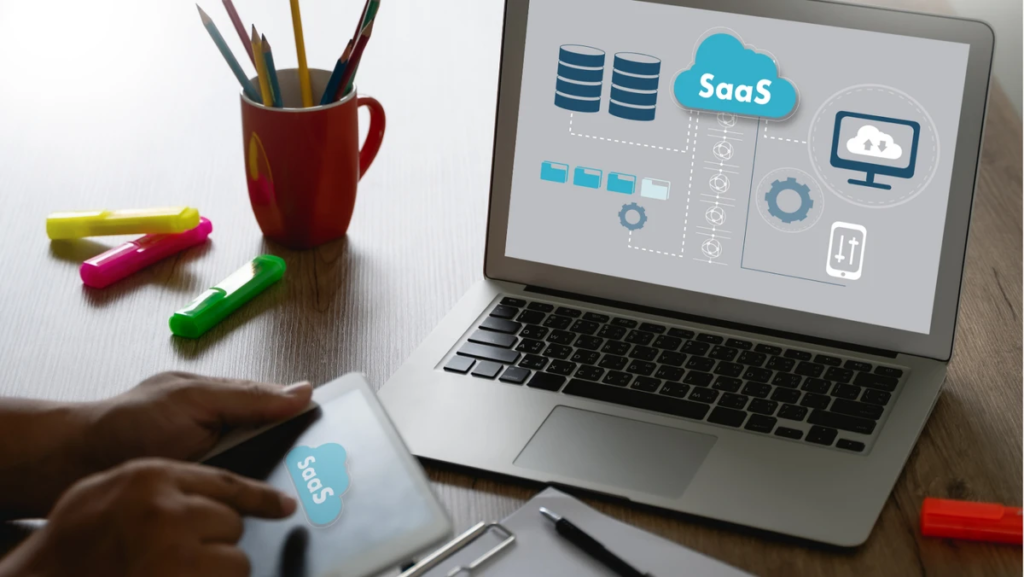
Cybersecurity SaaS is now allowing small- and mid-sized businesses to protect themselves from cyber threats without requiring expensive, large-scale infrastructure. With cybersecurity SaaS, small- and mid-sized business owners have access to cloud-based systems for easy set-up and management.
This guide covers the best cybersecurity SaaS tools for small businesses in 2026 based on:
- Deployment ease
- Automation strength
- Cloud integration
- User experience
- SMB pricing
- Threat protection
- Scalability
You can use these tools whether you run a startup, online store, agency, or remote team.
Why Cybersecurity Matters More in 2026?
Most businesses now operate online.
Companies depend on:
- Cloud storage
- SaaS platforms
- Remote collaboration tools
- Online banking
- Digital payments
- Shared login systems
These tools improve efficiency. They also expand attack surfaces.
Attackers use automated systems to find weak passwords and exposed services. Small businesses often face attacks without direct targeting.
Cyberattacks often lead to:
- Data theft
- Ransomware lockouts
- Financial fraud
- Website downtime
- Compliance penalties
- Loss of trust
Recovery often takes months for small firms.
What Makes a Good Cybersecurity SaaS Tool?
Small businesses need simple and strong security tools.
Enterprise systems often feel complex and costly. SMB tools need a balance between protection and usability.
A strong cybersecurity SaaS platform delivers:
- Easy Deployment: You set up the tool fast without deep technical work.
- Automation: The system detects threats and responds in real time.
- Cloud Integration: The tool connects with Google Workspace, Microsoft 365, and other SaaS apps.
- Clear Visibility: You view risks through simple dashboards.
- Affordable Scaling: Costs stay controlled as your business grows.
Best Cybersecurity SaaS Tools for Small Businesses in 2026
CrowdStrike
CrowdStrike is a leading endpoint security platform that protects devices such as laptops, desktops, and remote systems from cyber threats. It focuses on stopping attacks at the device level, which is often the first point of entry for hackers.
CrowdStrike uses cloud-based AI detection to identify suspicious behavior in real time and block threats like ransomware and malware before they spread.
Key Features
- AI-based threat detection
- Real-time monitoring
- Ransomware protection
- Malware defense
- Device tracking
- Behavioral analysis
Why We Recommend It
CrowdStrike provides strong detection accuracy. It works well for remote teams and distributed employees. Setup stays fast and cloud-based.
Pros
- Strong ransomware defense
- Fast cloud deployment
- High scalability
- Advanced threat monitoring
Cons
- Higher pricing tiers
- Advanced tools may feel complex for very small teams
Best For
Remote teams and fast-growing companies.
Okta
Okta specializes in identity and access management, helping businesses control who can access systems, applications, and data.
It reduces security risks by ensuring only verified users can log in through secure authentication systems.
Key Features
- Multi-factor authentication
- Single sign-on access
- User identity control
- Login tracking
- Device verification
Why We Recommend It
Okta reduces password risk. It also improves access control across multiple SaaS tools.
Pros
- Strong MFA system
- Reduced password issues
- Smooth SaaS integration
- Easy access control
Cons
- Setup may need technical help
- Advanced settings add complexity
Best For
Businesses using multiple cloud platforms.
Mimecast

Mimecast offers enhanced security for email-related dangers like phishing, viruses, and malicious links. Since email is the most common way for cyber criminals to carry out their attacks, we believe that Mimecast is an essential part of helping to stop the security breach before it can reach an employee’s mailbox.
Key Features Include:
- Phishing Detection
- Email Filtering
- Viruses Scanning
- Link Protection
- Threat Intelligence
Why We Recommend:
Most attacks start with email. Mimecast helps stop threats before the user can interact with them.
Pros:
- Robust Phishing Protection
- Reliable Email Filtering
- Compatible with Microsoft 365
- Minimizes User Risk Exposure
Cons:
- Enterprise Level User Interface
- Needs Set-Up Configuring Time
Best For:
Businesses that rely heavily on email communication.
Cloudflare

Cloudflare helps improve the speed and security of your website through its vast network. Not only do they protect against DDoS attacks, bots, and other malicious traffic, but they also help ensure your website is fast, reliable, and always available.
Key Features
- DDoS protection
- Web application firewall
- Bot filtering
- Traffic control
- CDN performance boost
Why We Recommend It
Cloudflare improves both security and speed. It supports online stores and service websites well.
Pros
- Free and low-cost plans
- Strong website defense
- Faster loading speed
- Simple DNS tools
Cons
- Learning curve for advanced settings
- Higher cost for enterprise plans
Best For
Online businesses and e-commerce platforms.
Vanta
Vanta makes automating compliance with SOC 2 or other security audits easier than ever for organizations. By continuously monitoring your security controls and creating your audit documentation, you can significantly reduce manual labour.
Key Features
- Compliance tracking
- Audit support
- Risk alerts
- Policy control
- Security monitoring
Why We Recommend It
Vanta reduces manual work during audits. It improves compliance readiness for startups.
Pros
- Faster audit preparation
- Strong automation
- Useful for enterprise growth
Cons
- Limited value for very small teams
- Compliance focus only
Best For
Startups targeting enterprise clients.
Microsoft Defender
Microsoft Defender is a digitally integrated cybersecurity solution that encompasses all the devices, emails, identities, and cloud environments within the Microsoft ecosystem in one comprehensive package.
Key Features
- Antivirus protection
- Endpoint security
- Identity protection
- Email security
- Cloud monitoring
Why We Recommend It
Microsoft Defender integrates directly with Microsoft 365. It provides strong value for SMB users.
Pros
- Strong Microsoft integration
- Good SMB pricing value
- Unified security system
- Easy adoption
Cons
- Limited outside the Microsoft ecosystem
- Advanced tuning needs expertise
Best For
Microsoft-based organizations.
Cybersecurity SaaS Comparison Table
| Tool | Best For | Main Strength | Limitation |
| CrowdStrike | Endpoint security | Advanced threat detection | Higher cost |
| Okta | Identity security | Strong MFA system | Setup complexity |
| Mimecast | Email protection | Phishing defense | Enterprise interface |
| Cloudflare | Website security | Security + speed | Learning curve |
| Vanta | Compliance automation | Audit support | Limited SMB use |
| Microsoft Defender | All-in-one security | Microsoft integration | Ecosystem lock-in |
Recommended Security Stack by Business Size
Businesses that are less than 10 people
- Microsoft Defender
- Cloudflare
- Password manager
- MFA on all user accounts.
Growing teams: (10 — 50 employees)
- CrowdStrike (antivirus)
- Okta (identity platform)
- Mimecast (cloud email security)
- Cloudflare (web security)
Startups that have to comply with regulations:
- Vanta (cloud compliance management system)
- Okta (identity platform)
- Endpoint Security Suite
- Backup solution
Common Mistakes Small Businesses Make
- Choosing Tools Based Only on Price
- Ignoring Employee Training
- Reusing Passwords>
- Delaying Software Updates
- Missing Backup Systems
Major Cybersecurity Trends in 2026
Cybersecurity continues to evolve fast.
Key trends include:
- AI-based threat detection
- Zero Trust security models
- Automated incident response
- Cloud-native security systems
- Behavioral tracking
- Identity-first protection
Identity protection now plays a central role. Many businesses still underuse MFA even though credential theft remains a top attack method.
How to Choose the Right Cybersecurity Tool?
Evaluate your business’s needs before choosing a solution. Here are some examples:
- Company size
- Budget limits
- Technical skill level
- Industry rules
- Remote work setup
- Growth plans
The right security tool will be suitable for your organization. Price is not equivalent to value.
Final Verdict
The majority of small companies wait to secure their data until after they have been attacked. This creates significant risk.
Today there are many SaaS security solutions that provide adequate security without having to rely on complicated technology.
Good security includes:
Endpoint Security, Multi-factor Authentication, Email Filtering, Website Security, Backup, Education
Investing in cybersecurity when it isn’t too late gives businesses less risk, more trust, and increased productivity.
In 2026, Cybersecurity will be an essential function of every business. It will help support the growth, sustainability, and success of the organization.