A small legal practice frequently experiences difficulties in providing exemplary support to customers while concurrently dealing with the many routine administrative tasks that need to be completed daily. The majority of the day-to-day work that the attorneys do is related to meeting with clients, preparing paperwork, billing, and tracking their cases, all of which take a considerable amount of time and energy to accomplish. Furthermore, by using manual processes to carry out most of these responsibilities, the attorneys expose themselves to additional delays and significantly increase their chances of making a mistake; consequently, legal SaaS (Software as a Service) solutions allow little legal practices to enhance their efficiency and improve the level of control over the daily function of their businesses.
Today’s customers have higher expectations than ever for prompt responses from their legal representative, clear and easy-to-understand bills, and a way to securely communicate with their attorney. For this reason, law firms must have a dependable process/procedure for maintaining the confidentiality of their customers’ sensitive information and meeting the relevant legislative and regulatory requirements. By using legal practice management software, attorneys are able to perform their responsibilities as an attorney through the use of automation capabilities, cloud-based access to their practice, and centralized work streams to complete the tasks required of an attorney.
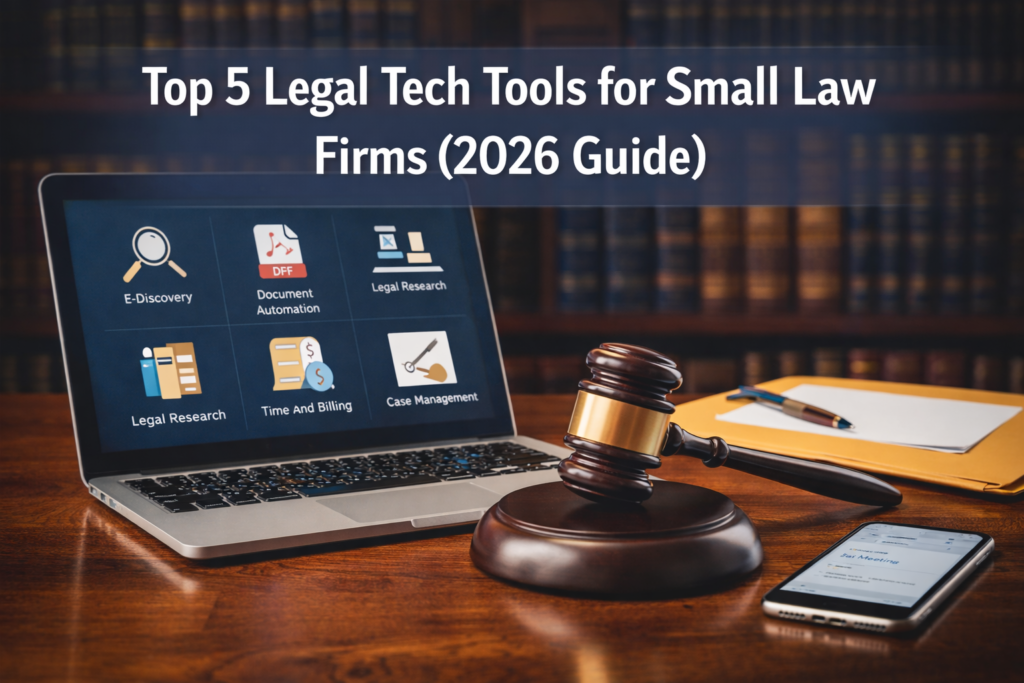
In this document, we will be presenting you with an overview of the five most substantial legal SaaS platforms that small law firms will be utilizing in 2026. Each of the platforms we discuss in this document has an individual set of software features that will help attorneys save money.
What Small Law Firms Should Look for in Legal Software
A SaaS company engaged in the legal profession must operate effectively on a day-to-day basis while creating no added complexity. Here are several features to pay careful attention to when evaluating a SaaS solution.
Case Management
Case management programs allow lawyers to keep all documentation, deadlines, notes, and communications in one central location. Being better organized allows law firms to manage matters more effectively.
Document Automation
Document automation enables lawyers to complete repetitive drafting tasks more quickly. Lawyers can generate contracts, agreements, and forms in a much shorter time frame while still being consistent in their work product.
Billing and Time Tracking
Accurate billing is necessary to protect revenue. Time-tracking programs allow lawyers to keep track of how much time they spend working for clients so they can issue accurate invoices.
Secure Communication
Legal practitioners must ensure client confidentiality is maintained. Secure messaging and encrypted communication protocols are essential to protect client information and data.
Cloud Accessibility
Access to files stored in the cloud allows lawyers to access their files from multiple locations. The ability to work remotely enhances the ability of lawyers to be productive and work flexibly.
1. Clio
Clio is one of today’s top-rated legal practice management systems. This is due in large part to the ability for small firms to have all the necessary tools within one user-friendly platform. Below is a list of some of the key features of Clio:
Key Features
- Case Management
- Time Tracking
- Billing/invoicing
- Document Management
- Client Portal
- Calendaring
Why Choose Clio?
Clio is an all-in-one solution that allows lawyers to seamlessly handle legal functions. With Clio, lawyers can manage their caseloads, communicate with clients, manage case files, and track invoices, all from one platform. In addition, Clio integrates with several other applications, allowing firms to connect with their accounting software, payment processors, and other productivity applications.
Best For
Small firms are looking to implement an extensible, complete suite of legal practice management tools.
2. MyCase
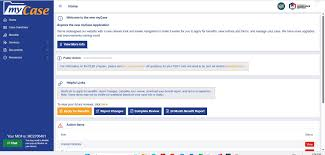
The design of MyCase is user-friendly and very simple. Most solo practitioners and small law teams use MyCase because of its simple user interface.
Key Features
- Case Management
- Online (Internet) Payments
- Client Messaging
- Calendar Scheduling
- Document Storage
Why Choose MyCase?
MyCase’s low training requirement makes for an easy, positive user experience. Built-in Payment Processing makes for a faster billing cycle and faster receipt of payment from clients. Toolsets that enable secure communication with clients make it easier for law firms to be transparent and responsive to their clients.
Best For
Small Law Firms or Solo Practitioners Who Want A Simple, User-Friendly Solution That Is Easy To Implement.
3. PracticePanther
The popularity of PracticePanther is due to its ability to automate many administrative functions and its flexible workflow management capabilities.
Key Features
- Workflow Automation
- Time Tracking
- Billing Tools
- CRM Features
- Reporting and Analysis
Why Choose PracticePanther?
By automating your reminders, sections/tasks to be assigned, and providing you with follow-up communication, Workflows can help you save time on repetitive, routine administrative functions. Additionally, Practice Panther has many valuable integrations, which provide you with better access to other legal technology products, making for a more seamless experience as part of the overall ecosystem.
Best For
Law firms want to improve their operational efficiency with workflow automation.
4. Smokeball
Smokeball is committed to enhancing your document automation and productivity. With a focus on automating the creation of legal documents, firms with a high volume of paperwork appreciate Smokeball’s many features.
Key Features
- Document Automation
- Case Tracking
- Time Entry
- Productivity Analytics
- Integration with Microsoft Word
Why Choose Smokeball?
Document automation is perhaps Smokeball’s greatest strength. Legal practitioners will be able to create documents much more quickly, and as a result, reduce the amount of time spent drafting documents by hand. Additionally, productivity analytics will assist law firms with making operational changes that will improve their productivity.
Best For
Legal practitioners who generate a large volume of documents and need to automate as much as possible.
5. Rocket Matter
Rocket Matter is a leading provider of billing, financial management, and trust accounting software. Rocket Matter is chosen by many firms because they have a reputation for having strong financial capabilities and tools.
Key Features
- Time software
- Billing software
- Trust Accounting software
- Expense Tracking software
- Financial Reporting software
Why Choose Rocket Matter?
Financial management tools help businesses get improved profitability and maintain an accurate record of their transactions. Reporting gives you better insights into how your business performs on a daily basis.
Best For
Lawyers or law firms who want to ensure that they maintain accurate billing and control of their finances.
Benefits of Legal SaaS for Small Firms
Legal SaaS platforms provide numerous benefits that can enhance operational efficiencies and grow a company.
- Improved Efficiency: With automating administrative tasks, attorneys now have more time for client service and legal research.
- Better Organization: Having everything in one place helps everyone find what they need quicker.
- Enhanced Client Experience: Portals and secure communication make for more straightforward communication. The faster you can respond, the stronger your relationship will be with your client.
- Accurate Billing: Time tracking helps ensure that nothing is lost due to missed billing. It also provides accurate billable hours and generates accurate revenue growth.
- Greater Flexibility: With cloud access, lawyers can be productive from multiple locations while maintaining access to their work product.
Legal Technology Trends in 2026
Several trends continue to shape the legal technology landscape.
AI-Assisted Drafting
The introduction of artificial intelligence-powered drafting solutions gives attorneys the ability to draft documents quickly. The additional benefit of improved document drafting creates increased levels of productivity for attorney’s.
Workflow Automation
Workflow automation allows law firms to improve efficiency by eliminating repetitive administrative tasks through industry-standard processes and workflow.
Cloud-Based Operations
Cloud-based computing is now the preferred method of delivering lawyers with legal software, providing connection to the modern workplace and ensuring access to cloud-based databases whenever and wherever required.
Data Analytics
Data analysis provides the legal community with the ability to assess productivity, profitability, and operational efficiencies by using analytical measures of performance.
Final Thoughts
As of now, legal software systems/platforms are a necessity for any contemporary lawyer to manage their firm in an efficient manner. Examples of legal software systems include Clio (with a complete suite of practice management tools), MyCase (simple/easy to use), PracticePanther (highly automated), Smokeball (variations of document management), and Rocket Matter (excellent for financial management and tracking costs). While each of these platforms has merit, you must decide which one integrates best with your firm’s objectives, budget, and day-to-day operations.
Software purchase decisions are a key part of developing long-term success by reducing administrative workload, enhancing service to clients, and supporting growth over time. Consequently, selecting appropriate legal technology will help your firm become very efficient and achieve a competitive edge by 2026.
FAQ’s
How can small-scale legal technology benefit law firms?
Law firms can use legal technology to assist with case management, billable hour tracking, document automation, file management, and client communication. They can reduce administrative workload and improve firm productivity by having all of their administrative processes in one location.
Which web-based application for legal work is preferred by solo lawyers?
Many solo attorneys would recommend MyCase as their preferred web-based legal application. The application is easy to use, has a simple interface, and is easy to get started with. This application also integrates case management, billing, and client communication.
Which product is best suited for automating legal services work flow processes?
PracticePanther is the overall best legal service automation tool today. It provides an easy-to-use interface and fully automates all of your reminders, tasks, follow-ups, and most of the rest of your typical administrative tasks.
4. Do legal SaaS software programs assist with creating legal documents?
Yes, many legal forms and documentation can be created using a legal SaaS solution; Smokeball, for example, is especially well-known for being able to quickly create legal documentation using templates and pre-programmed workflows.
5. Which legal SaaS program provides the best billing and invoicing capabilities?
Rocket Matter offers excellent billing and financial management capabilities. The platform provides firms with great tracking (time and expense) as well as trust accounting functionalities, and therefore gives legal firms a method of maintaining accurate financial statements.
6. Is it safe to provide your client data to a legal SaaS provider?
Most reputable legal SaaS providers employ encryption, secure cloud-based data, and other access control features to protect clients’ confidential data; as a result, firms also protect clients’ confidentiality and meet their professional obligation of complying with government regulations.
7. Do legal practice management platforms also allow for online payment processing?
Yes. Many legal SaaS providers offer online payment options through their platforms. For example, firms may utilize MyCase to accept online payments via the MyCase platform and therefore simplify their billing processes.
8. Can small law practices use cloud-based legal SaaS software?
Cloud based legal SaaS software is designed to accommodate practitioners from small to large firms. Practitioners can access their client and case files, documents and other information from any physical site without compromising the security72 of their data.
9. What are the costs of using legal SaaS?
Costs for legal SaaS operate based on a multitude of factors including features, number of users, subscription terms; as a general rule, legal SaaS providers charge their fees on a monthly basis51 per user.