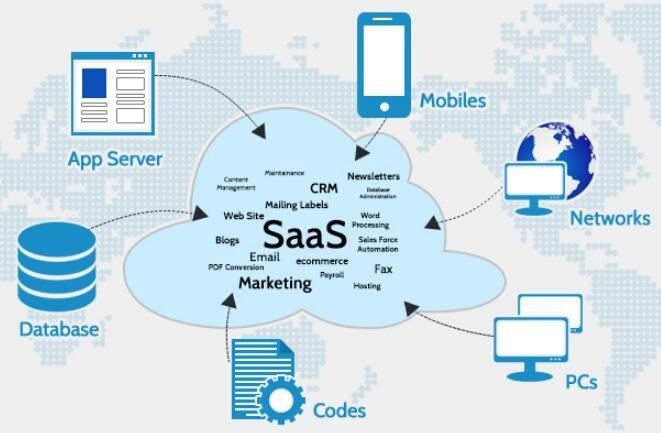
SaaS Applications are vital tools used to run any kind of organization and are used for all things, organization management, accounting, CRM (customer relationship management), and to accomplish most processes fast and with less manual labor than ever before.
Although the fact that Saas software makes it easy for an organization to perform these numerous tasks does not mean that canceling your Saas subscription is simple. Many users think that when they cancel their subscription to a Saas tool will automatically result in a cancellation. Most of the time Saas cancellations can be complicated (and there are more variable factors), in general, and may include additional fee consequences beyond just the initial charge. While some people who believe their account has been canceled will still be charged for a few months after they thought they were canceled, others will lose access to their important information associated with the Saas application at the time of cancellation due to a lack of prep before cancellation.
This article will give you a clearer idea of what happens when you cancel, and guide you through each stage so you can minimize charges you may incur by not understanding the cancellation process, and to protect your valuable business data via effective subscription management practices as a result of your cancelled subscription.
Why SaaS Subscriptions Are Difficult to Cancel?
SaaS companies depend on recurring revenue. Their business model is built to retain customers for the long term rather than for one-time use.
Because of this, cancellation systems are designed around retention logic and billing security.
Common reasons cancellation feels complicated include:
- Automatic renewal systems that continue billing unless manually stopped
- Annual contracts that lock users into long-term commitments
- Notice periods that require cancellation before a specific deadline
- Refund restrictions that prevent reimbursement for unused time
- Add-on billing that continues even after partial cancellation
These conditions are usually written in the terms of service, but most users do not review them during signup.
As a result, cancellation becomes confusing when billing issues appear later.
Understand Your Subscription Details
Before you cancel, it’s important to fully understand how your subscription is laid out.
SaaS platforms can have different cancellation rules. Some may allow you to cancel immediately, while others have strict billing cycles and/or contracts.
To make sure that you’re making the right choice for yourself when you cancel, you need to find out the following information about your account.
- When is Your Next Renewal Date, and What is Your Next Billing Schedule?
- Is Your Subscription Monthly or Yearly?
- What is Your Subscription Length and End Date?
- What are the Refund Eligibility Rules for Your Subscription?
- What are the Early Termination Conditions for Your Subscription?
Once you know these things, you won’t get caught off guard by unnecessary charges. For example, if you cancel too late before the renewal date, another billing cycle could have occurred.
Knowing about these will avoid any financial surprises for you later.
Check Your Billing Cycle Timing
It can have a significant impact on your ability to cancel SaaS subscriptions if you don’t check the timing of your billing cycle properly before you cancel. You may have to continue paying for some amount of time after canceling, depending on how the provider manages billing/ billing cycle.
Monthly Subscription
Monthly subscription models tend to provide the most flexibility to subscribers. Generally speaking, when you cancel a monthly subscription, you are canceling all future billing for the subscription. You continue to have access to the service until the end of the monthly billing cycle. Thus, it is pretty much risk-free for subscribers to cancel with most providers on a monthly subscription basis.
Annual Subscription
Annual subscriptions typically have a much more complicated structure tied to the contract duration and the amount due at the time you sign up for the subscription.
When you cancel during your contract term, it is common not to receive a refund for the unused time remaining on your contract. There may also be an early termination fee that could be assessed by certain providers.
Businesses should manage renewal dates carefully and plan for cancellations to ensure they are not incurring any unnecessary costs. A simple reminder on your calendar will minimize the risk of incurring additional costs after you cancel your subscription.
Back Up All Data
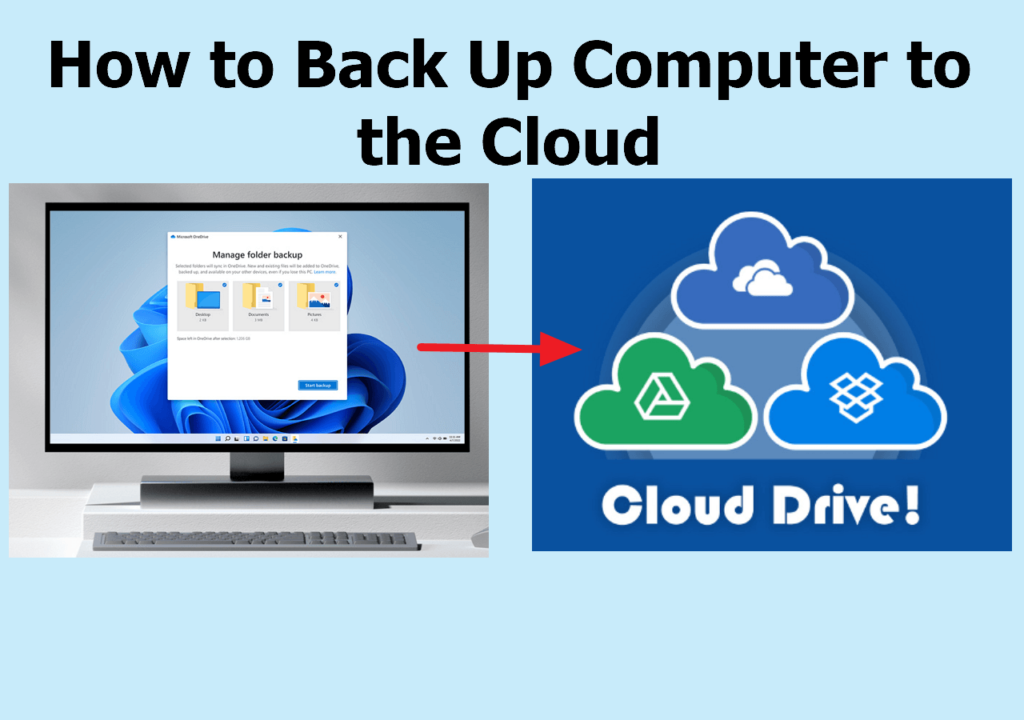
Data backup is one of the most critical steps in SaaS cancellation.
Once a subscription is canceled, access to stored data may be restricted or permanently deleted after a short retention period.
You should always export your data before initiating cancellation.
Important data includes:
- Documents and files
- Customer records
- Invoices and billing history
- Analytics reports
- Project data
- Communication logs
For example, CRM platforms store customer histories that are essential for future marketing and sales operations. Losing this data can impact business performance significantly.
Backing up data ensures you do not lose important information after cancellation.
Locate the Correct Cancellation Option
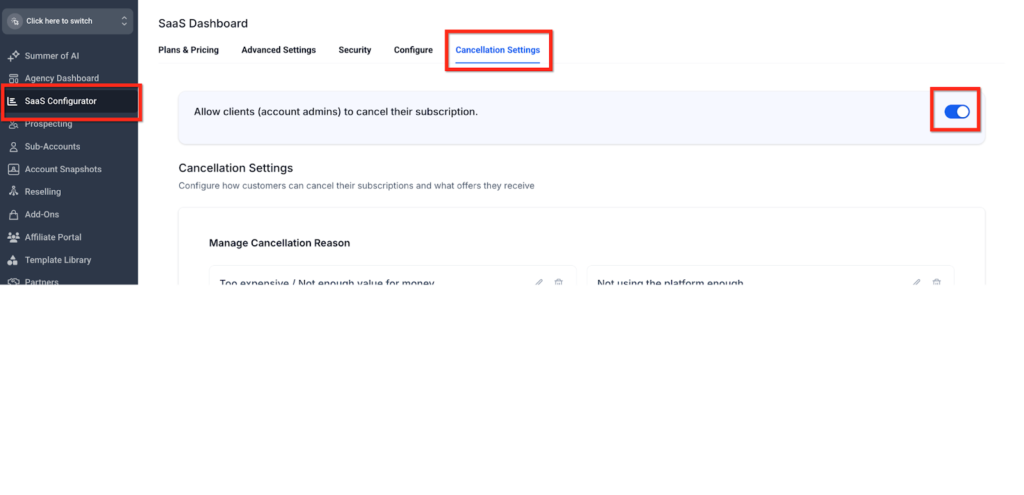
Cancellation options can be found in various locations on the SaaS platforms. Some of the usual locations include:
- Account Settings
- Billing
- Subscription management
- Plan Settings
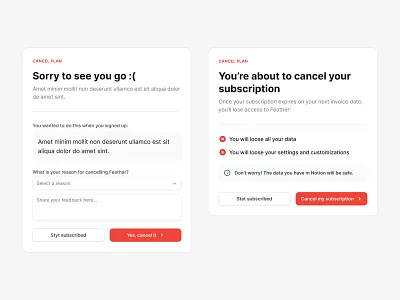
Some SaaS platforms allow for cancellations to be performed entirely independently or without any human intervention, while others restrict it to having to reach out to an employee of the company. This is typically a result of company policy. However, every legitimate SaaS provider must have a published method by which to cancel.
Finding the cancellation option may take some thorough exploration of the dashboard of your platform.
Use Official Cancellation Channels Only
Users often assume they can use indirect means to cease billing, and unfortunately, these methods DO NOT WORK:
- Removal of all payment cards
- Ignoring all current invoices
- Deleting accounts without cancelling them
To properly cancel your account, you must use official channels:
- Using an in-dashboard cancellation process through the app
- Requesting to cancel via customer support
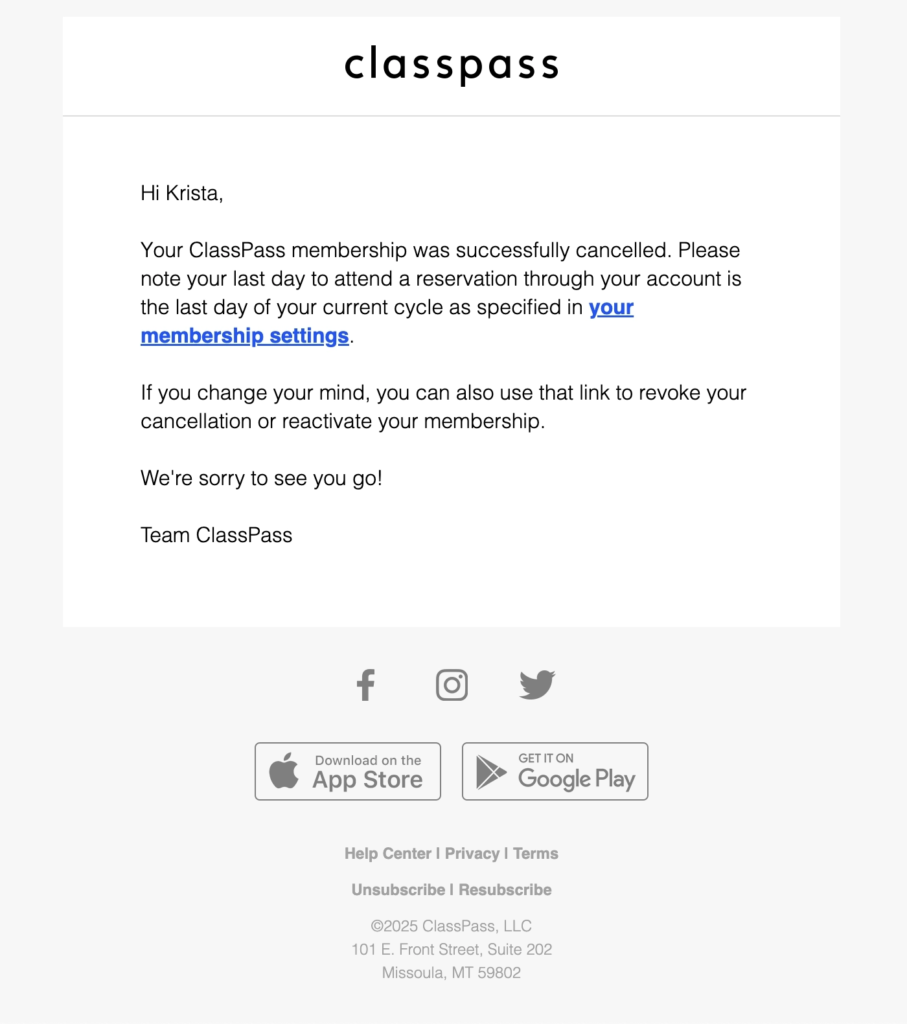
- Receiving an email confirmation from the provider that your subscription is cancelled
- Following the account settings cancellation flow
Utilizing these official channels ensures you have successfully been cancelled and will not have additional billing issues in the future.
Always Request Cancellation Confirmation
After completing the cancellation, you must request confirmation.
This is your proof that the subscription has ended.
Confirmation usually comes in the form of:
- Email confirmation
- Cancellation receipt
- Support ticket number
- Account status update
Without confirmation, you cannot prove cancellation in case of billing disputes.
Always save this information securely.
Monitor Your Bank
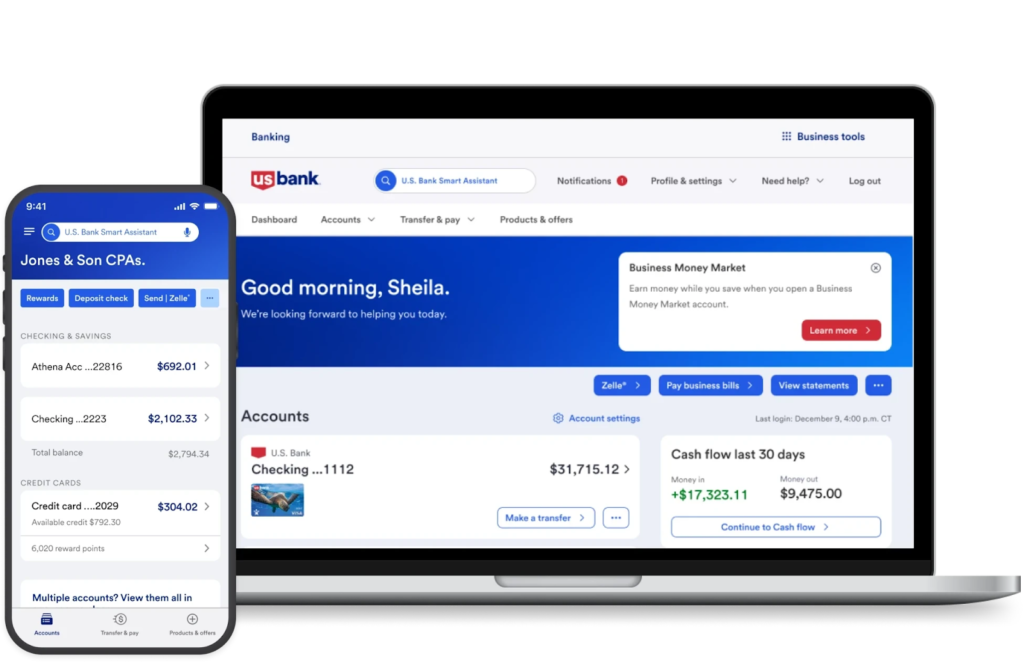
Even after cancellation, monitoring your financial statements is important.
Some platforms may process delayed charges or apply fees after cancellation.
You should check for:
- Renewal charges
- Add-on subscriptions
- Tax or processing fees
- Currency conversion charges
If you notice any unexpected billing, contact support immediately and provide your cancellation proof.
Common Hidden Fees in SaaS Subscriptions
SaaS Subscription Hidden Fees
One of the factors most irritating to SaaS billing is unexpected “hidden fees.” The most prevalent would be:
- Early Termination Fee: Annual contracts will assess a fee for cancelling before the annual contract is over.
- Non-Refundable Payment: Many SaaS companies will not refund you for unused time on your subscription.
- Currency Exchange Fee: If you are being billed for your subscription in a different country, you might be charged an additional fee for using the current exchange rate.
- Processing Fee: The payment gateway will sometimes charge an extra fee per transaction.
- Add-On Fees: Any additional features or integrations may incur additional charges that you were not originally informed of.
How to Avoid Automatic Renewals?
Automatic renewal is the main reason users get charged unexpectedly.
To avoid it:
- Set reminders before renewal dates
- Disable auto-renewal if available
- Cancel subscription early before the billing cycle ends
Proactive management is the key to avoiding unwanted charges.
Best Practices for Managing SaaS Subscriptions
If you use multiple SaaS tools, management becomes even more important.
You should:
- Maintain a full subscription list
- Track all renewal dates
- Review usage every few months
- Assign responsibility in teams
This helps you identify unused subscriptions and reduce unnecessary spending.
When You Should Contact Customer Support?
Some situations require direct support involvement.
Contact support if:
- Cancellation option is missing
- Account is locked or restricted
- Billing errors occur
- Cancellation fails
- Charges appear after cancellation
Support teams can resolve most issues quickly if you provide proper documentation.
How to Handle Billing Disputes?
If you are charged after cancellation, follow a structured approach:
- Collect cancellation proof
- Contact support immediately
- Explain the issue clearly
- Request a refund if applicable
- Follow up until resolution
Most companies resolve disputes when proper evidence is provided.
Migration Before Canceling SaaS Tools
When migrating to a new SaaS provider, your migration plan needs to be thorough and well-thought-out.
- You will need to ensure that you export all necessary data.
- Test out your new SaaS platform, making sure everything is working correctly.
- Train your users on how to use the new tool, if applicable.
- Be sure that the data you are migrating is correct before completing the migration.
By taking the time to conduct a proper migration, you can avoid operational problems or data loss from rushing through the process.
Common Mistakes Users Make
Many issues with cancellations can be traced back to common mistakes.
- Forgetting to cancel before their renewal time
- Not reading or understanding the terms of their subscription
- Forgetting to back up all of their data before canceling
- Not paying attention to the add-on services associated with their subscriptions
- Not keeping a record of their cancellation confirmation
By avoiding these mistakes, you will reduce your financial risk.
Future of SaaS Cancellation Policies
The SaaS industry is slowly improving its cancellation systems.
Future trends include:
- More transparent billing systems
- Easier cancellation processes
- Better user notifications
- Clearer pricing structures
- Faster refund handling
These improvements aim to increase trust and reduce customer frustration.
Final Verdict
The act of canceling a SaaS subscription typically requires more effort than most customers may think. This includes understanding how your billing works, managing when you cancel, what to do with any data before canceling, and how to get proper proof that the subscription was canceled correctly. If you take the time to do these items in the right manner, then you can save yourself from incurring any hidden fees or being charged for the service again, and have complete control over your software costs. A well-structured approach will usually provide better results than rushing to cancel a subscription.
FAQs
Can I cancel my SaaS subscription at any time?
You can cancel your SaaS subscription at any time from your account settings, and you will typically have access until the conclusion of your billing cycle or the term of your contract.
Will I receive a refund for my subscription after I cancel it?
Refunds after cancellation depend on the SaaS provider’s refund policy and the type of subscription that you have. The majority of SaaS providers do not offer refunds for unused subscription periods after payment has been billed to the account.
Why was I charged after I cancelled?
There are generally three different reasons that you might be charged after cancellation: the timing of the subscription renewal, processing delays after cancellation, and add-on products that were purchased prior to cancellation that the company has long as those add-on products are active.
How do I know my subscription has been cancelled?
You will know for sure that your subscription has been successfully cancelled by receiving an email confirmation of the cancellation or Support Ticket submission. Most SaaS providers will indicate on your account/subscription dashboard that your subscription has been cancelled.
No, it will not. If you would like to cancel the subscription, you must go into your account settings and perform the proper cancellation or you can submit the proper cancellation ticket through the Support process. Removing the payment method does not stop you from being charged for your subscription.
Will removing the payment method for my subscription result in cancellation?
What happens to my data after I cancel my subscription?
The way in which your data is treated after cancellation is determined by the subscription agreement that you signed with the SaaS provider prior to your purchase. Some SaaS providers will keep your data for a while (usually up to 1 year), while others will delete your data immediately after cancellation.