In the last few years, design software has undergone a dramatic transformation. What once required professional tools and years of experience can now be done with a few clicks, or even a simple text prompt. At the center of this shift is Canva, a platform that has evolved from a beginner-friendly design tool into a full creative workspace powered by artificial intelligence.
With the introduction of Magic Studio, Canva has positioned itself as more than just a design app. It now promises to handle everything from presentations and social media graphics to videos and AI-generated content. It provides all within a single platform.
But with Canva Pro’s price increasing alongside its features, an important question remains:
Is Canva Pro is especially Magic Studio, actually worth paying for in 2026?
This in-depth review breaks down the features, pricing, pros and cons, and real-world use cases to help you decide if Canva Pro deserves a place in your workflow. Check out this [ AI writing tools in 2026 ].
What Is Canva Pro in 2026?
Canva Pro is the premium version of Canva that unlocks advanced design features, brand tools, and AI-powered capabilities. While the free version remains capable, most of Canva’s advanced AI features now sit behind the Pro paywall.
The biggest addition is Magic Studio, a centralized hub for AI-powered tools that help users generate content, edit images, and automate design workflows.
Magic Studio brings together tools like:
- AI writing
- AI image generation
- AI video tools
- Layout automation
- Smart editing
- Format conversion
Instead of designing everything manually, users can now generate entire projects in seconds.
What Is Magic Studio?
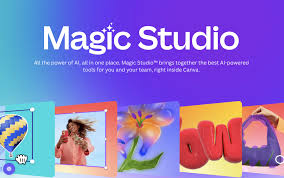
Magic Studio is Canva’s all-in-one AI environment designed to speed up content creation. Rather than using separate tools for writing, editing, and designing, everything happens inside one interface.
Key components include:
Magic Write
An AI writing assistant that generates:
- Blog outlines
- Social captions
- Product descriptions
- Emails
- Marketing copy
Magic Write has been used to generate billions of words across different types of content.
Magic Design
Magic Design creates full layouts automatically based on a prompt or uploaded content.
For example:
- Upload images → get instant social posts
- Enter topic → get presentation slides
- Add text → get formatted graphics
This eliminates the “blank page problem” for many users.
Magic Media
Magic Media allows users to generate images and videos from text prompts.
Users can create:
- AI images
- AI graphics
- AI videos
- AI backgrounds
The goal is to reduce the time spent searching for assets or creating visuals manually.
Magic Edit Tools
These include:
- Background remover
- Object eraser
- Image expansion
- Object replacement
- Smart resizing
Users can edit images by simply describing what they want changed.
Magic Switch
Magic Switch converts designs into different formats automatically.
For example:
- Presentation → Document
- Post → Video
- Design → Multiple sizes
This feature is especially useful for marketers producing content across multiple platforms.
Key Features of Canva Pro
Beyond AI, Canva Pro includes a wide range of traditional design features.
Template Library
Canva offers hundreds of thousands of templates for:
- Social media
- Ads
- Presentations
- Posters
- Reports
- Videos
This is one of Canva’s biggest advantages over traditional design software.
Brand Kit
Brand Kits allow teams to store:
- Logos
- Colors
- Fonts
- Templates
This ensures brand consistency across projects.
Stock Library
Pro users get access to:
- Photos
- Videos
- Icons
- Music
- Graphics
This eliminates the need for external stock sites.
Collaboration Tools
Teams can:
- Share projects
- Leave comments
- Edit together
- Manage assets
This makes Canva suitable for team workflows.
If your team is already using project tools, you might also want to read our guide on productivity platforms like ClickUp vs Notion: Choosing the Ultimate Productivity Workspace (internal link), which explores how teams organize work alongside design tools.
Pricing in 2026
Canva offers multiple pricing tiers.
Free Plan
Includes:
- Basic templates
- Limited AI tools
- Basic editing
Pro Plan
Around:
- $15/month
- $120/year
Includes:
- Full Magic Studio access
- Brand kits
- Premium assets
- Advanced editing
Most Magic Studio features require Pro access.
Teams Plan
Designed for organizations with collaboration features.
Canva Pro vs Traditional Design Tools
Many users compare Canva with tools like Adobe products or Figma.
Here’s how Canva differs:
Canva Strengths
- Easier to use
- Faster workflows
- AI automation
- Templates
- All-in-one platform
Traditional Tool Strengths
- More control
- Advanced editing
- Professional precision
For most everyday users, Canva is faster and more accessible.
Real-World Use Cases
Marketing Teams
Marketing teams use Canva for:
- Social posts
- Ads
- Presentations
- Graphics
Magic Studio speeds up campaign creation significantly.
Content Creators
Creators use Canva for:
- Thumbnails
- Posts
- Videos
- Branding
AI tools reduce design time dramatically.
Small Businesses
Small businesses use Canva for:
- Flyers
- Ads
- Branding
- Menus
Canva replaces multiple tools.
Remote Teams
Canva fits well into remote workflows because everything is cloud-based.
Teams managing remote projects often combine Canva with project tools. For example, our article on Monday.com Review: Is It the Best Project Management Tool for Remote Teams? (internal link) explains how teams track work alongside creative production.
Pros of Canva Pro
1. Extremely Easy to Use
Canva is designed for beginners.
No design experience required.
2. Powerful AI Tools
Magic Studio automates:
- Writing
- Design
- Editing
- Formatting
This saves hours of work.
3. Massive Template Library
Templates make starting projects easy.
4. All-in-One Platform
Canva replaces multiple tools.
5. Great for Teams
Collaboration is simple and effective.
Cons of Canva Pro
1. Limited Advanced Editing
Professional designers may find it restrictive.
2. AI is not Perfect
AI results often need editing.
3. Subscription Cost
Costs add up for teams.
4. Internet Required
No offline mode.
Is Magic Studio Actually Useful?
Magic Studio is most useful for:
- Marketers
- Small businesses
- Content creators
- Agencies
- Startups
It’s less useful for:
- Professional designers
- Illustrators
- Advanced editors
Magic Studio shines when speed matters more than precision.
Canva Pro vs Free Canva
Free Canva is good, while Pro Canva is powerful.
The main differences include:
Free:
- Limited AI
- Limited assets
- Basic tools
Pro:
- Full AI
- Premium assets
- Brand kits
- Automation
For occasional users, free may be enough, and for regular users, Pro is worth it.
Who Should Buy Canva Pro?
Canva Pro is worth it for:
- Marketers
- Bloggers
- Agencies
- Businesses
- Teams
- Creators
If you design regularly, Pro pays for itself.
Who Should Skip Canva Pro?
You might skip Pro if:
- You design rarely
- You use Adobe
- You need advanced editing
- You need precision tools
SaaSReviewer Verdict
Canva Pro is one of the best value tools in the SaaS market. Magic Studio makes design faster, easier, and more accessible than ever before.
While it would not replace professional design software, it dramatically reduces the time needed to create high-quality content.
For most users, that alone justifies the cost.
Final Verdict: Is Magic Studio Worth It?
Yes, but for the right user.
Magic Studio is worth the price if you:
- Create content regularly
- Run marketing campaigns
- Manage social media
- Work in teams
It may not replace professional tools, but it makes design accessible to everyone.
In 2026, Canva Pro is not just a design tool. It is a creative workspace powered by AI.
Frequently Asked Questions (FAQs)
1. What is Magic Studio in Canva Pro?
Magic Studio is the AI-powered feature set inside Canva that helps users generate designs, edit images, and create content automatically. It includes tools like Magic Write, Magic Design, and AI image editing, all designed to speed up the creative process.
2. Is Canva Pro worth it in 2026?
Yes, Canva Pro is worth it for users who create content regularly. The AI tools, premium templates, and brand features can save significant time, making the subscription cost worthwhile for marketers, creators, and businesses.
3. What’s the difference between Canva Free and Canva Pro?
The free version includes basic templates and tools, while Canva Pro unlocks:
- Magic Studio AI tools
- Premium templates
- Brand kits
- Stock assets
- Background remover
- Advanced resizing
Most AI-powered features are only available in the Pro version.
4. Can Canva Pro replace professional design software?
For most everyday design needs, Canva can replace traditional tools. However, professional designers who need advanced editing and precise control may still prefer tools like Adobe software.
5. Is Canva Pro good for teams?
Yes, Canva Pro works well for teams because it includes collaboration tools such as shared folders, comments, and brand kits. Teams can work on designs together in real time, making it ideal for remote work environments.
6. Does Canva Pro include AI image generation?
Yes, Canva Pro includes AI image generation through Magic Studio. Users can create images by typing text prompts and customizing them directly within their designs.
7. How much does Canva Pro cost in 2026?
Canva Pro typically costs around $10–$15 per month for individual users, with discounts available on annual plans. Team plans cost more depending on the number of users.
8. Is Canva Pro good for small businesses?
Yes, Canva Pro is especially useful for small businesses because it combines design, branding, and content creation in one platform. Businesses can create marketing materials without hiring professional designers.
9. Can Canva Pro be used with project management tools?
Yes, many teams use Canva alongside productivity platforms. For example, project workflows can be managed in tools discussed in our productivity comparison articles, while designs are created in Canva.
10. Do beginners need Canva Pro?
Beginners can start with the free version, but Canva Pro becomes valuable once users begin creating content regularly. The templates and AI tools make it much easier for beginners to produce professional-looking designs quickly.