
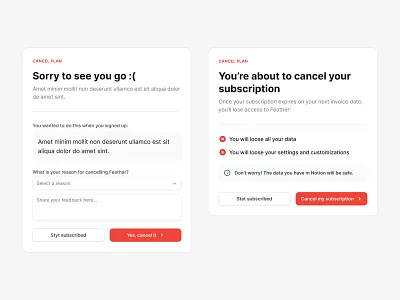
Software-as-a-Service (SaaS) subscriptions have become a standard part of modern business operations. From project management platforms to accounting systems, organizations rely on subscription-based software to maintain efficiency and scalability. However, while signing up for SaaS tools is often simple, canceling a subscription can be significantly more complex.
Hidden fees, automatic renewals, and restrictive cancellation policies can turn a straightforward cancellation into a frustrating process. For individuals and businesses alike, understanding how SaaS cancellations work is essential to avoiding unnecessary charges and maintaining financial control.
This guide provides a structured approach to canceling SaaS subscriptions while minimizing costs and avoiding common pitfalls. It is much like the evaluation process discussed in Free vs. Paid SaaS: When is it Worth Upgrading?, managing subscriptions effectively requires planning, documentation, and attention to contract terms. Check out this [ SaaS pricing models ].
Why SaaS Subscriptions Are Difficult to Cancel
SaaS companies rely on recurring revenue models. Subscription continuity is a core business metric, which is why many platforms structure their billing systems around automatic renewals and long-term contracts.
Common barriers to cancellation include:
- Automatic renewals
- Annual billing cycles
- Notice period requirements
- Limited cancellation windows
- Non-refundable payments
These policies are not necessarily deceptive, but they can be overlooked during the signup process. Understanding these conditions is the first step toward avoiding unexpected charges.
Step 1: Identify Your Subscription Terms

Before initiating a cancellation, review the subscription agreement or billing page. Most SaaS platforms clearly outline their cancellation policies within their terms of service.
Key details to look for include:
- Renewal dates
- Billing cycles
- Refund eligibility
- Notice requirements
- Early termination fees
For example, platforms like Adobe often use annual plans that charge penalties for early cancellation, while services such as Microsoft may allow cancellation but continue service through the billing period.
Understanding these differences helps prevent surprises during the cancellation process.
Step 2: Check Your Billing Cycle
Timing plays a critical role in avoiding extra charges. Many SaaS subscriptions renew automatically at the end of each billing period.
There are typically two types of billing cycles:
Monthly Billing
Monthly plans are generally easier to cancel. Service usually ends at the end of the billing period without additional fees.
Annual Billing
Annual subscriptions often require advance notice. Missing the cancellation window may result in another full year of charges.
Businesses using multiple SaaS tools should maintain a subscription calendar to track renewal dates. This approach is similar to financial tracking strategies discussed in Top 5 Accounting Software for Freelancers and Tax Filing (2026 Guide).
Step 3: Back Up Your Data
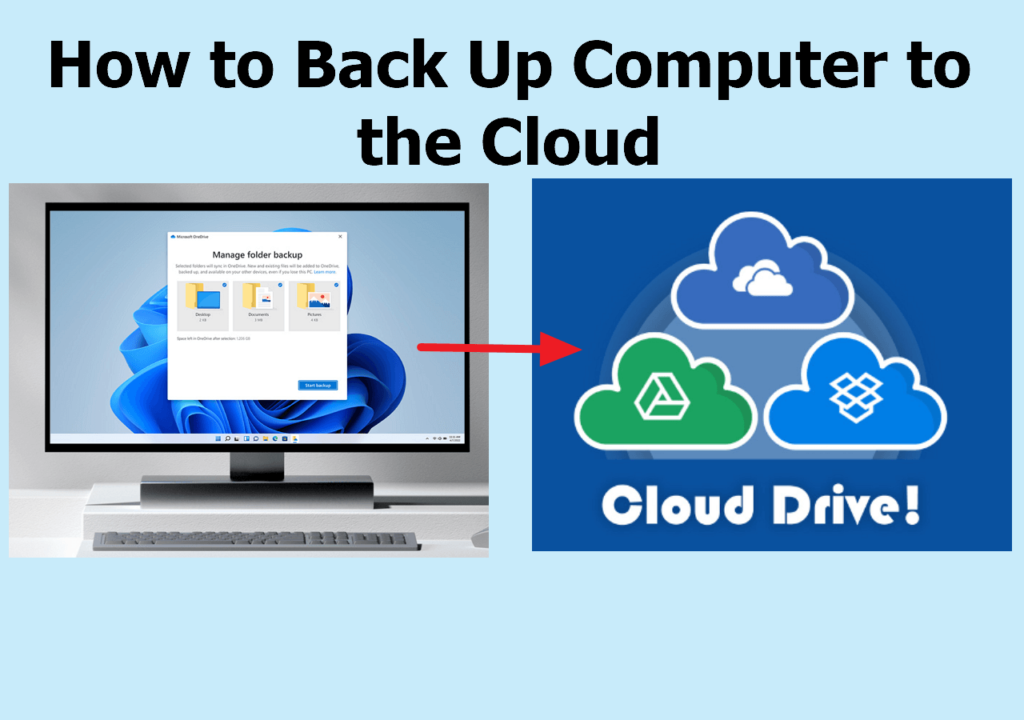
Before canceling any SaaS subscription, export important data. Once an account is closed, access to files and records may be restricted or permanently removed.
Important data to save includes:
- Documents
- Reports
- Customer data
- Invoices
- Analytics
For example, users leaving platforms like Salesforce or HubSpot often need to export customer records before closing their accounts.
Failing to back up data can result in permanent information loss.
Step 4: Locate the Cancellation Option
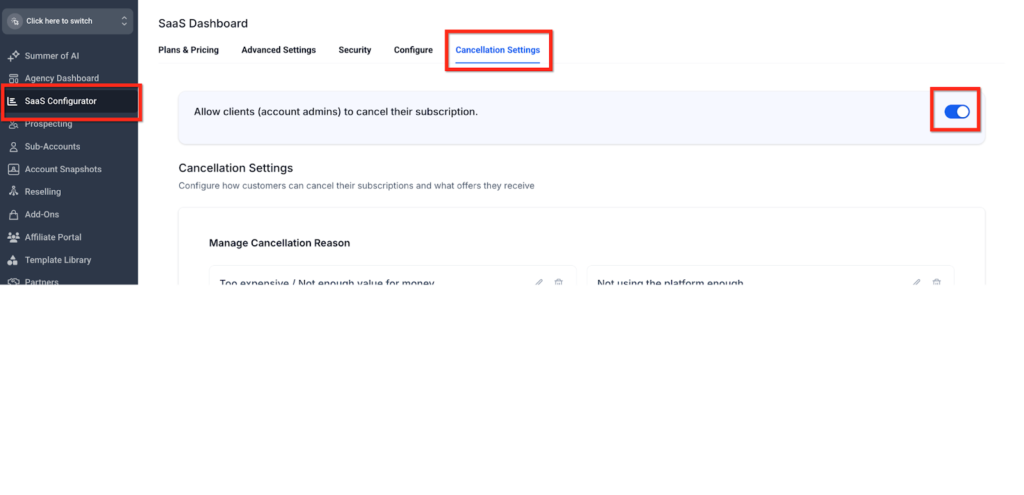
Most SaaS platforms provide cancellation options within account settings. However, the exact location may vary.
Common locations include:
- Billing settings
- Subscription settings
- Account preferences
- Plan management pages
Some companies require cancellation through customer support instead of automated systems. While this process may take longer, it is still a legitimate cancellation method.
Step 5: Cancel Through Official Channels
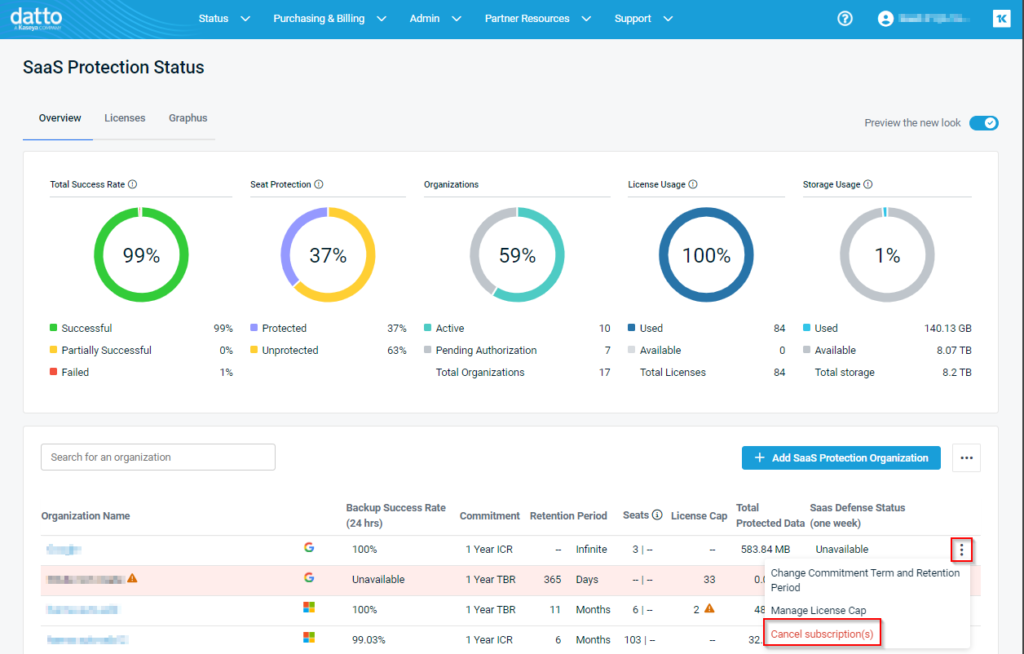
Always cancel subscriptions through official channels. Avoid relying on indirect methods such as:
- Ignoring invoices
- Removing payment methods
- Closing email accounts
These actions do not guarantee cancellation and may result in continued billing.
Official cancellation methods include:
- Online account settings
- Support tickets
- Email confirmation
- Customer service calls
Platforms such as Zoom and Dropbox typically provide cancellation through account dashboards.
Step 6: Request Confirmation
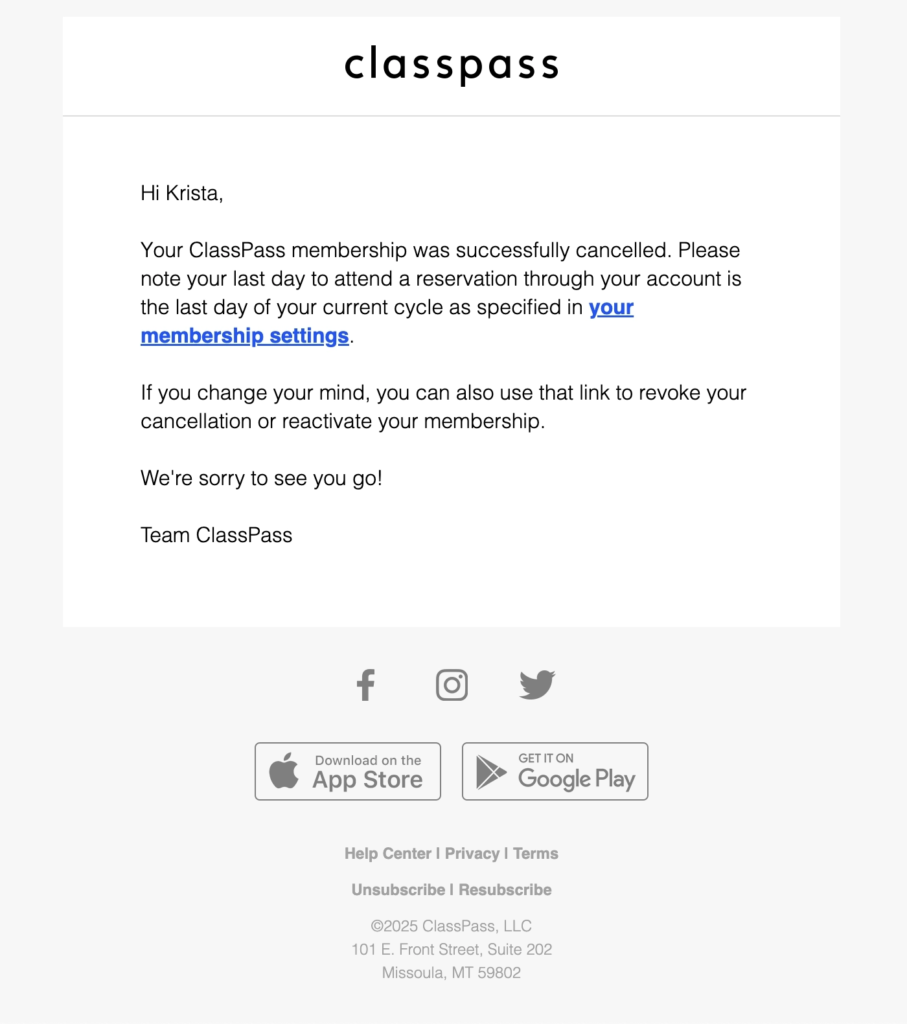
After canceling, always request confirmation. This confirmation serves as proof in case of billing disputes.
Confirmation may include:
- Email receipts
- Cancellation numbers
- Support tickets
- Screenshots
Keeping these records is especially important for annual contracts or high-cost subscriptions.
Step 7: Monitor Your Bank Statements
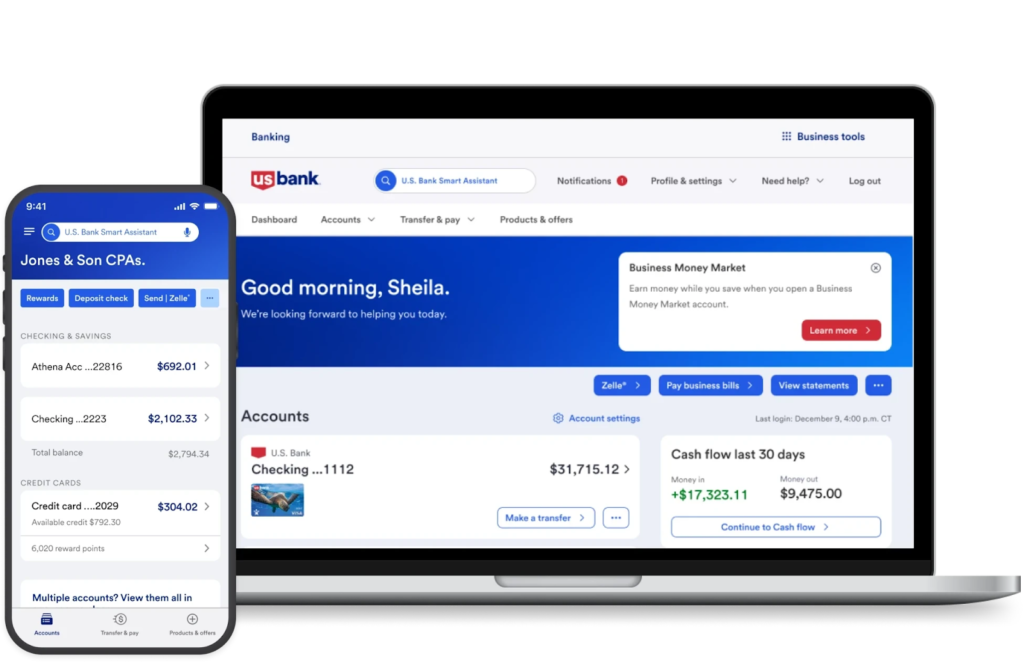
Even after cancellation, monitor your payment accounts for unexpected charges.
Watch for:
- Renewal charges
- Partial charges
- Currency conversion fees
- Taxes
- Processing fees
If a charge appears after cancellation, contact the provider immediately with your cancellation confirmation.
Common Hidden Fees to Watch For
Hidden fees are not always obvious during signup. Understanding them can prevent unexpected costs.
Early Termination Fees
Some annual contracts include penalties for canceling early.
Non-Refundable Payments
Many SaaS providers do not offer refunds for unused time.
Currency Fees
International transactions may include additional charges.
Processing Fees
Payment processors may add small fees to transactions.
Add-On Charges
Extra features may continue billing even after core subscriptions are canceled.
How to Avoid Automatic Renewals
The most common cause of unwanted charges is automatic renewal.
To prevent renewals:
- Cancel early
- Set reminders
- Turn off auto-renewal
- Confirm cancellation
Many SaaS platforms allow users to disable auto-renewal while continuing service until the end of the billing period.
Subscription Management Best Practices
Managing subscriptions proactively reduces the risk of unexpected costs.
Maintain a Subscription List
Keep a record of all active subscriptions.
Track Renewal Dates
Set reminders before renewal periods.
Audit Subscriptions Regularly
Review subscriptions every few months.
Assign Responsibility
Businesses should assign subscription management to a specific person.
These practices are consistent with SaaS management strategies discussed in Must-Have SaaS Tools for Healthcare Providers (HIPAA Compliant), where oversight and compliance are essential.
When to Contact Customer Support
Some cancellations require direct contact with support teams.
Contact support if:
- You cannot find the cancel option
- You were charged incorrectly
- Your account is locked
- Cancellation failed
- Fees are unclear
Issues can be resolved quickly through clear communication.
How to Handle Billing Disputes
If you are charged after canceling, take the following steps:
- Locate your confirmation
- Contact support
- Provide documentation
- Request a refund
- Follow up
If the issue remains unresolved, payment providers may assist with disputes.
Migrating Before Canceling
Businesses often need to transition to a new platform before canceling an old one.
Migration steps include:
- Exporting data
- Testing new systems
- Training users
- Verifying records
For example, companies switching between CRM systems often follow structured migration plans similar to those discussed in Salesforce vs. HubSpot: Which CRM is Better for US Startups in 2026?
Canceling too early can also disrupt operations.
Common Cancellation Mistakes
The common cancellation mistakes from users, which may cost them expensive are as follows;
Waiting Too Long
Missing renewal windows can trigger new billing cycles.
Not Reading Terms
Contract details often include important conditions.
Forgetting Add-Ons
Extra features may be billed separately.
Skipping Backups
Data may be permanently deleted.
Not Saving Confirmation
Proof of cancellation is essential.
The Future of SaaS Cancellation Policies
Regulators and consumer advocates are increasingly focusing on subscription transparency. Many providers are improving cancellation processes and making billing terms clearer.
Expected improvements include:
- Simplified cancellation
- Clear billing terms
- Better notifications
- Transparent pricing
- Easier data exports
These changes aim to improve customer trust and reduce disputes.
Final Verdict
Canceling a SaaS subscription should be a straightforward process, but hidden fees and automatic renewals can complicate the experience. Understanding billing terms, tracking renewal dates, and keeping proper documentation are essential steps in avoiding unnecessary charges.
A structured cancellation process, reviewing terms, backing up data, canceling properly, and monitoring accounts, helps ensure a smooth transition.
SaaS tools are designed to simplify business operations, but managing subscriptions responsibly is equally important. By following best practices, users can maintain control over their software expenses and avoid costly surprises.
FAQs:
1. Can I cancel a SaaS subscription at any time?
Most SaaS providers allow cancellation at any time, but your service usually continues until the end of the billing period. Platforms like Microsoft typically follow this model.
2. Will I get a refund after canceling a SaaS subscription?
Refund policies vary. Some providers offer prorated refunds, but many platforms, such as services like Adobe, may not refund unused subscription time on certain plans.
3. Why was I charged after canceling my subscription?
This usually happens if the subscription was renewed before cancellation was completed or if add-ons remained active. Always verify your billing status after canceling.
4. How can I confirm that my subscription is canceled?
Most SaaS platforms send a confirmation email after cancellation. Always save this email or take a screenshot as proof.
5. Is removing my credit card enough to cancel a subscription?
No. Removing your payment method does not cancel the subscription. You must complete the cancellation through your account settings or customer support.
6. What happens to my data after I cancel?
Some platforms immediately restrict access, while others allow limited access for a short period. If you use tools like Dropbox, you should download important files before canceling.
7. When is the best time to cancel a SaaS subscription?
The best time to cancel is a few days before your renewal date to avoid automatic charges.
8. Can I cancel an annual SaaS plan early?
Yes, but some providers may charge early termination fees or continue billing until the contract period ends.
9. What should I do if I’m charged after canceling?
Contact customer support immediately and provide your cancellation confirmation. Most billing issues can be resolved quickly with documentation.
10. Can I reactivate a canceled SaaS subscription?
Many platforms allow reactivation within a certain time period. For example, services like Zoom often allow users to restore subscriptions without creating a new account.

Pingback: How to Master SaaS Implementation: A Step-by-Step 2026 Guide