Many small businesses lose sales every day. Teams miss follow-ups, forget leads, and use scattered systems. You might use spreadsheets, sticky notes, or chat apps to manage your customers. That old method creates confusion and slows your growth.
A good CRM solves your problems immediately. Software organizes your tasks so you can:
- Track leads and pipelines
- Automate follow-ups
- Improve customer retention
- Organize communication
- Increase conversions
- Save time on repetitive work
This guide compares the 5 best CRM tools for small businesses. You will learn the strengths, drawbacks, use cases, and pricing value of each option.
How We Evaluated These CRM Tools?
We focused on the factors that matter most to small businesses.
Ease of Use
A CRM must help your team immediately. Complicated systems reduce user adoption rates.
Core Features
We reviewed contact management, sales pipelines, automation, reports, mobile access, and email integration.
Pricing
Small businesses need affordable choices. We looked for clear, honest pricing models.
Integrations
Your CRM must connect smoothly with tools. It should sync with your marketing tools and payment systems.
Scalability
The right software supports your growth. It must not limit your work later.
Quick CRM Comparison Table
| CRM Software | Best For | Starting Price | Ease of Use | Main Strength |
| HubSpot CRM | Best overall & free CRM | Free | Excellent | Scalability |
| Salesforce Essentials | Enterprise customization | Paid | Moderate | Advanced workflows |
| Zoho CRM | Best value | Paid | Moderate | Affordable features |
| Pipedrive | Sales pipelines | Paid | Excellent | Visual deal tracking |
| Freshsales | Sales + support | Paid | Very Good | AI lead scoring |
Export to Sheets
HubSpot CRM – Best Free CRM for Small Businesses
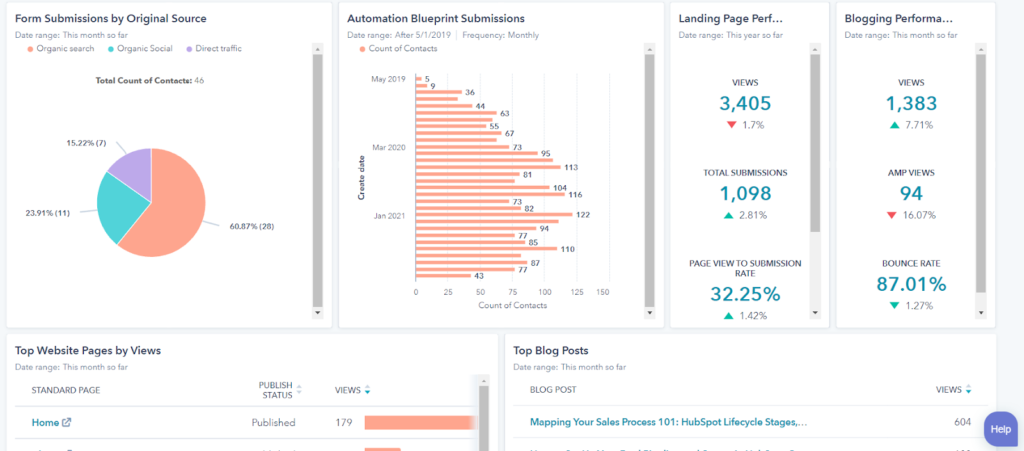
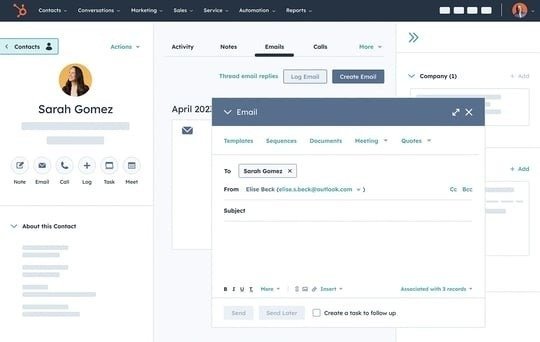
HubSpot CRM gives small businesses an excellent balance. Many CRM platforms become expensive quickly. But HubSpot offers a free plan that still delivers serious value. You can move from spreadsheets to a professional CRM without a steep learning curve. The dashboard feels clean and easy to understand. Teams usually adapt fast.
Standout Features
- Free CRM plan with generous limits
- Visual drag-and-drop pipeline
- Built-in email tracking
- Contact and company insights
- Task automation
- Gmail and Outlook integration
- Marketing upgrades for business growth
Pros & Cons
- ✔ Pros: The platform is very easy to use. It offers a strong free plan, a modern interface, excellent integrations, and scales as your business grows.
- ✘ Cons: Advanced automation requires a paid plan. Extra tools can feel overwhelming later.
Best For
HubSpot works best for startups, small teams, agencies, solo entrepreneurs, and businesses to want long-term scalability.
Who Should Avoid HubSpot? Large businesses prefer Salesforce if they need deep customization from day one.
Salesforce Essentials – Best CRM for Customization
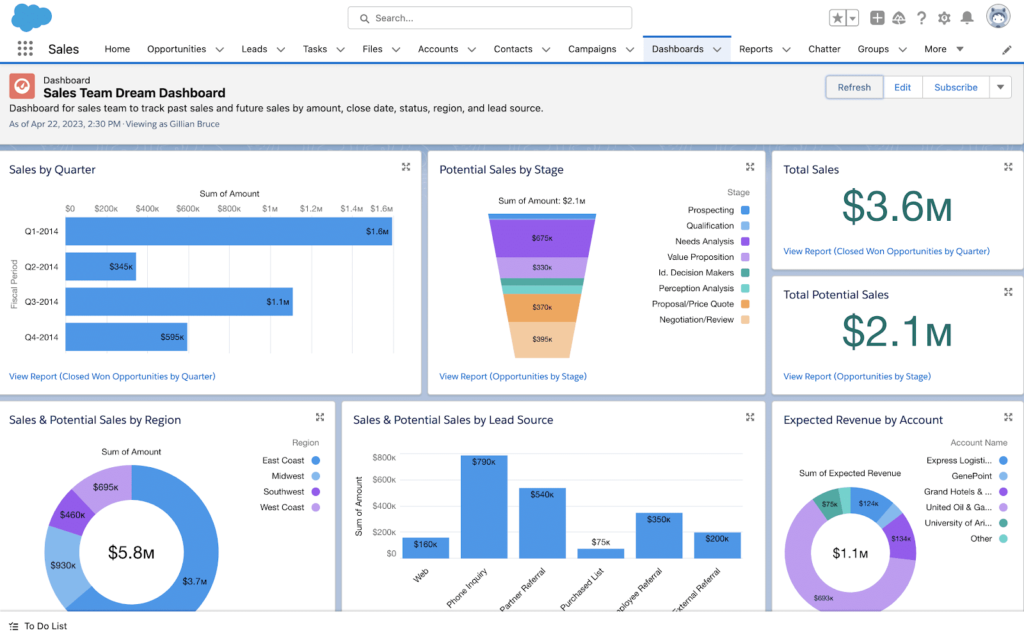
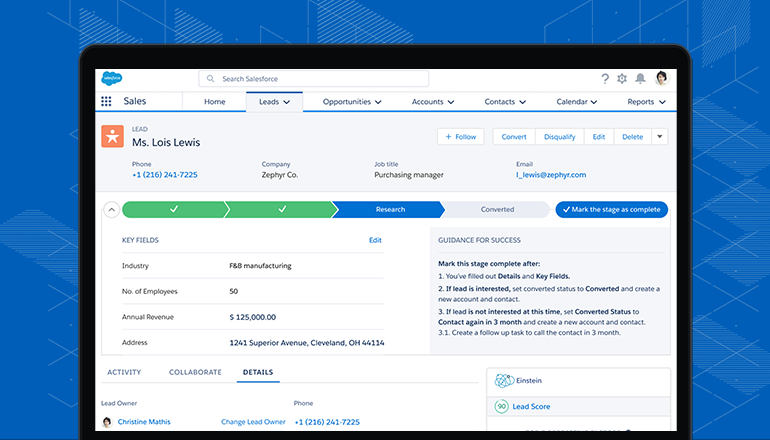
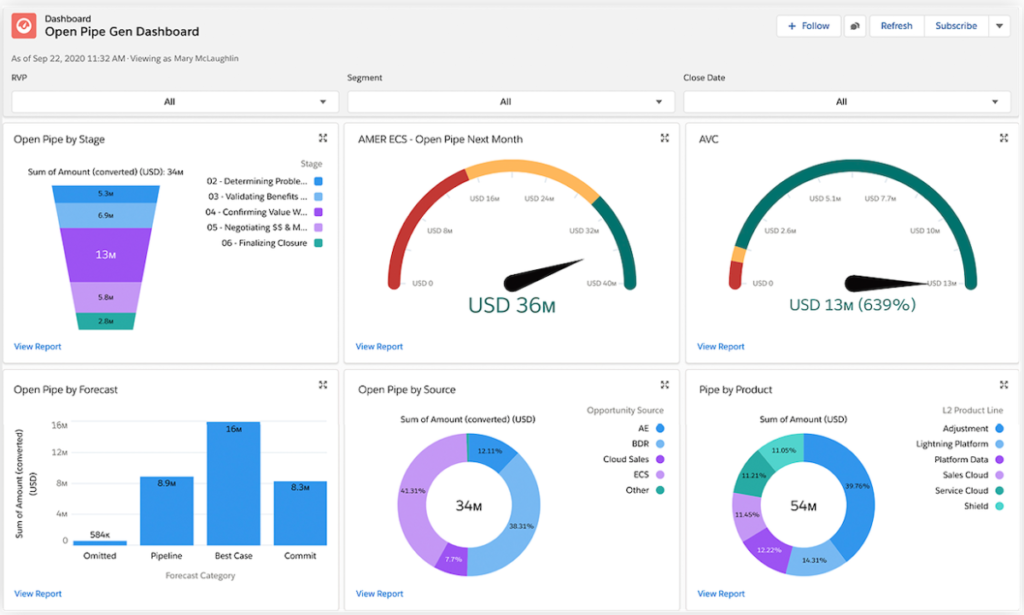
Salesforce remains the most recognized CRM platform in the world. Essentials gives small businesses enterprise level tools and deep customization. Consequently, you can build advanced workflows and detailed report systems.
The platform requires more setup time than HubSpot or Pipedrive. Teams often need extra training inside the system. However, Salesforce offers unmatched flexibility.
Standout Features
- Custom sales pipelines
- Einstein AI insights
- Advanced analytics
- Workflow automation
- Massive AppExchange ecosystem
Pros & Cons
- ✔ Pros: The software is extremely scalable. It provides advanced customization, powerful reports, and a massive integration marketplace.
- ✘ Cons: Users face a higher learning curve. It costs more than competitors, and setup takes longer.
Best For
Salesforce suits businesses that plan aggressive growth. It works well if you need complex workflows, require advanced reports, or manage larger sales teams.
Real Testing Insight: Salesforce delivered the strongest report tools during our tests. On the negative side, the setup required the most time.
Zoho CRM – Best Value CRM
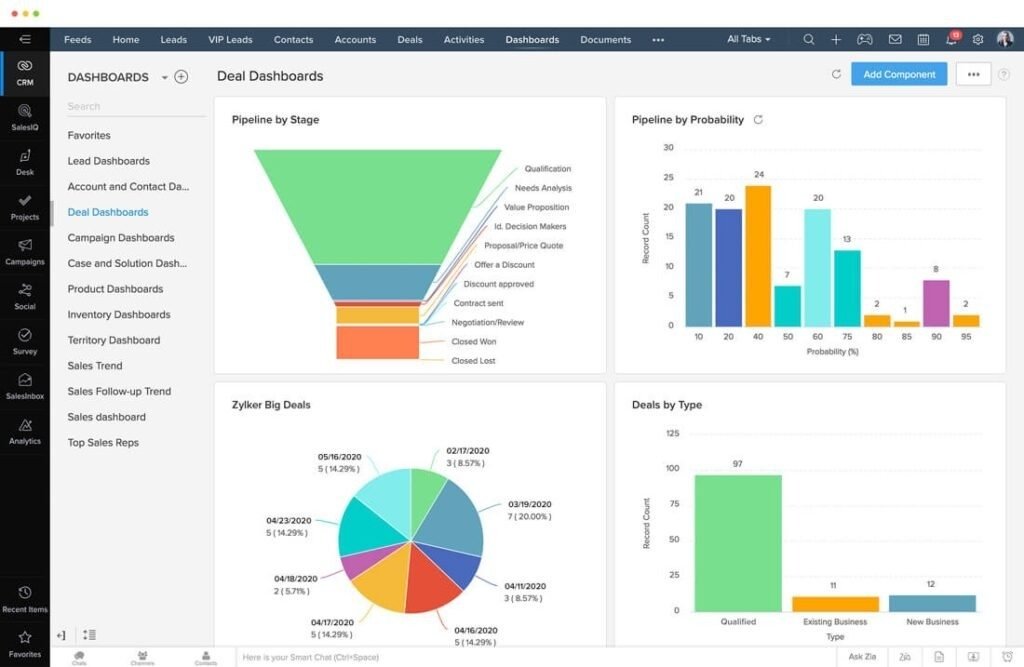
Zoho CRM gives you advanced features at a lower price. Budget conscious businesses often choose Zoho. Because the platform includes automation and AI tools without enterprise-level pricing. The system offers strong customization options. You can tailor workflows according to your exact process.
Standout Features
- Multi-channel communication
- AI sales predictions
- Workflow automation
- Sales gamification
- Email marketing integrations
Pros & Cons
- ✔ Pros: You get affordable pricing, strong automation, flexible customization, and included AI features.
- ✘ Cons: Setup can feel complex at first. The interface feels less modern than some competitors.
Best For
Zoho works best for businesses to want the advanced tools and lower pricing. It sets the teams that need flexible workflows.
Who Should Avoid Zoho? Teams that prefer extremely simple interfaces adapt faster to HubSpot or Pipedrive.
Pipedrive – Best CRM for Sales Pipelines
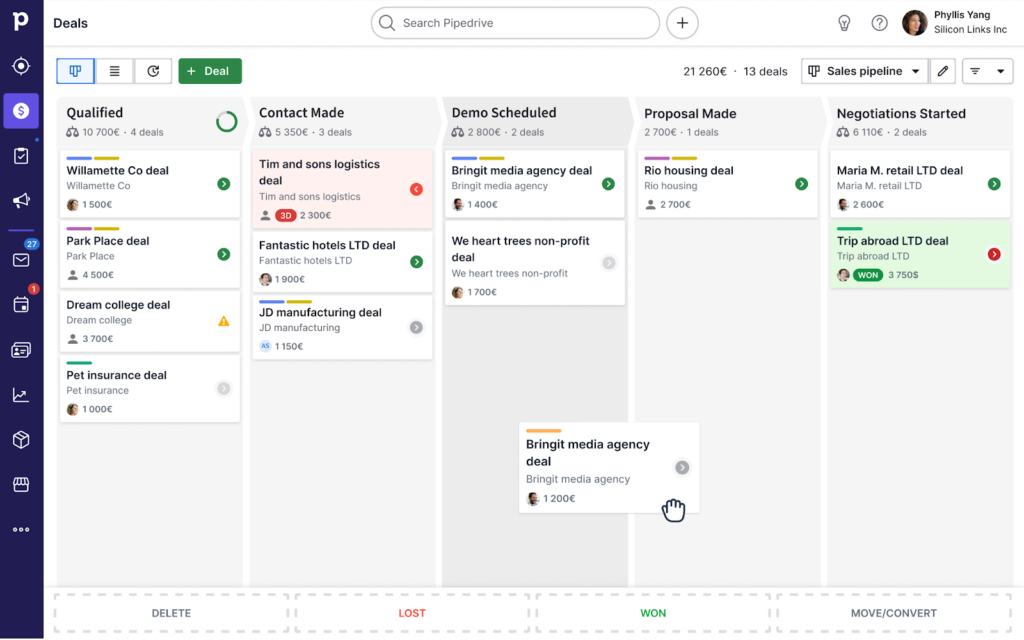
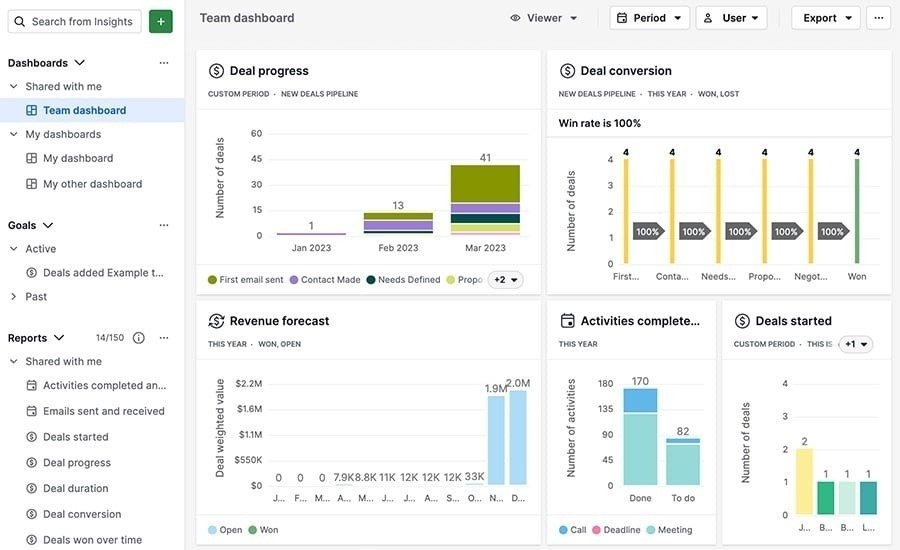
Pipedrive focuses heavily on sales pipeline management. The platform uses a clean drag-and-drop system that makes deal tracking simple. As a result, sales teams quickly understand lead status and next actions. The interface feels intuitive and lightweight.
Standout Features
- Drag-and-drop pipelines
- Smart deal tracking
- Activity reminders
- Email synchronization
- Mobile sales management
Pros & Cons
- ✔ Pros: You get excellent visual pipelines, fast onboarding, a strong mobile app, and easy daily usage.
- ✘ Cons: The platform offers limited marketing automation. It fits poorly with full marketing campaigns.
Best For
Pipedrive works best for sales-focused businesses and small sales teams. It excels in direct sales workflows and helps companies that need pipeline clarity.
Real Testing Insight: Pipedrive offered the fastest onboarding experience among all CRM platforms in this guide.
Freshsales – Best CRM for Sales and Support
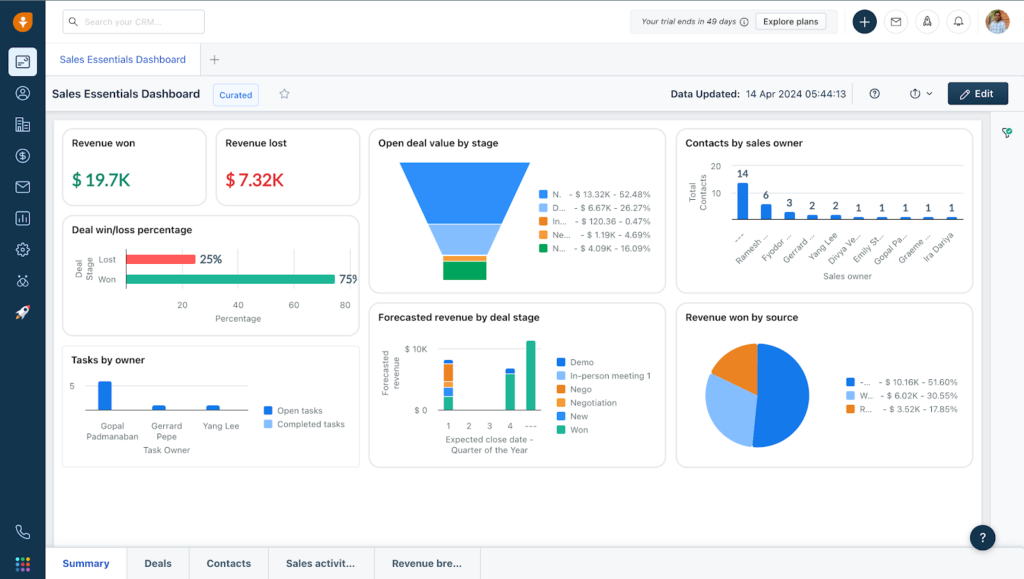
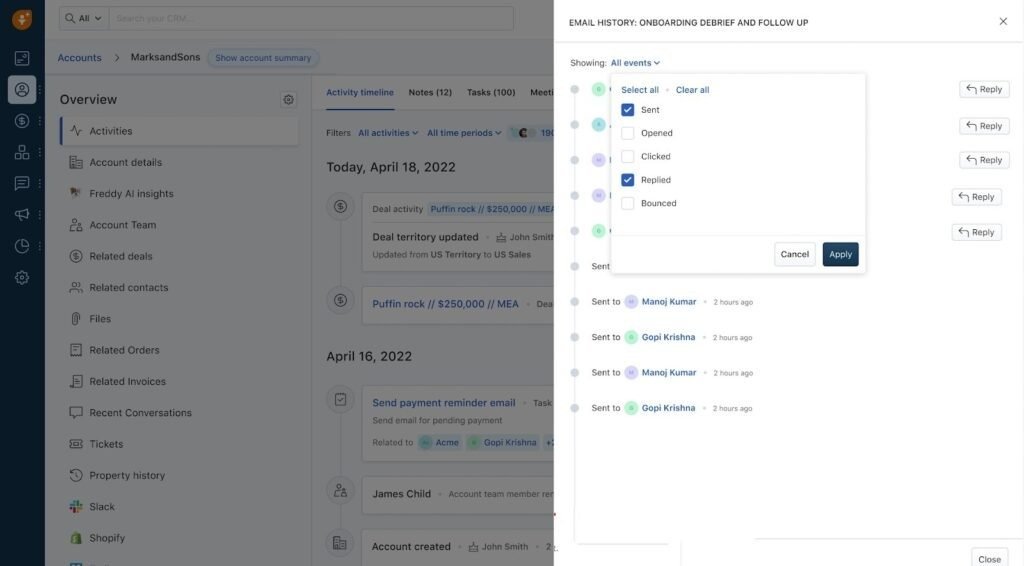
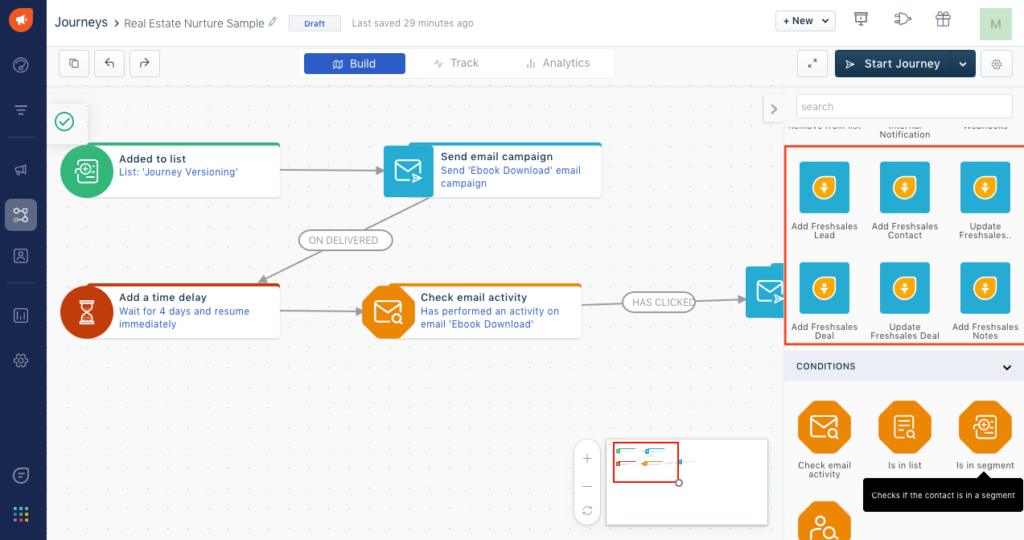
Freshsales combines CRM tools and customer support features inside one platform. You can manage leads, customer conversations, and support tickets. This setup reduces software switching and improves workflow efficiency.
Standout Features
- AI lead scoring
- Built-in phone and email
- Sales sequences
- Customer support ticketing
- Automation workflows
Pros & Cons
- ✔ Pros: The platform combines sales and support effectively. It features strong AI-led prioritization, helpful onboarding support, and a clean interface.
- ✘ Cons: Advanced analytics require higher plans. You get a smaller integration ecosystem than Salesforce.
Best For
Freshsales suits businesses that need CRM tools and customer support systems together. It helps teams that want AI lead management and unified communication.
CRM Pricing Comparison
- HubSpot CRM: You can start with a strong free plan. Entry pricing begins with the Starter tier, and it scales nicely.
- Salesforce Essentials: The platform lacks a free plan. Pricing sits at a higher baseline, and Essentials serves as the entry tier.
- Zoho CRM: You can access a limited free plan. It offers budget-friendly entry pricing, and the Professional tier delivers the best value.
- Pipedrive: The company offers a trial only. You pay mid-range entry pricing, and the Advanced tier provides the best value.
- Freshsales: You can use a limited free plan. The entry pricing remains competitive, and the Growth tier offers excellent value.
How to Choose the Right CRM?
Define Your Main Goal
You must first identify your biggest need. Common examples include lead tracking, sales forecasting, customer support, or marketing automation.
List Your Must-Have Features
Create a checklist before you compare platforms. Important features often include email sync, automation, reports, mobile access, and AI tools.
Set Your Budget
You should review per-user costs and upgrade pricing. Check for hidden automation fees and add-on charges too.
Test Free Trials
Real workflows reveal more than demo videos. Your team should always test the CRM before purchase.
Involve Your Team
User adoption matters more than feature quantity. A complicated CRM often creates frustration.
Which CRM Should You Choose?
Choose HubSpot CRM if you want:
- The best free CRM
- Easy onboarding
- Long-term scalability
- Strong integrations
Choose Salesforce Essentials if you need:
- Deep customization
- Advanced reports
- Enterprise-style workflows
- Large-scale scalability
Choose Zoho CRM if you want:
- Affordable pricing
- Advanced automation
- Flexible customization
- Strong value for money
Choose Pipedrive if you need:
- Pipeline clarity
- Sales-focused workflows
- Fast onboarding
- Simple daily usage
Choose Freshsales if you want:
- CRM and support tools together
- AI lead scoring
- Unified communication
- Customer support management
Final Verdict
The right CRM completely improves your business operations. A strong system helps you reduce manual work and improve your follow-up habits. You increase conversions, organize team communication, and scale your operations efficiently. Your ideal depends on your budget, team size, growth goals, and technical comfort level.
HubSpot remains the best option for most small businesses. The platform offers excellent usability and fantastic free features. Salesforce dominates the market in customization options. Zoho delivers great value for your money. Pipedrive excels in pipeline management, and Freshsales combines sales and customer support tools effectively.
Frequently Asked Questions
Can small businesses use a free CRM?
Yes. Many CRM platforms offer free plans for small businesses. HubSpot CRM provides one of the best free options available.
The free plan includes:
- Contact management
- Deal tracking
- Email synchronization
- Basic automation features
Small teams can start without upfront costs.
How much does CRM software cost?
CRM pricing depends on features and team size. Some platforms offer free basic plans. Entry-level plans usually cost between $12 and $30 per user each month. Advanced plans often range from $50 to more than $150 per user each month.
Costs increase when you add:
- Advanced automation
- AI tools
- Detailed analytics
- Additional users
Which CRM is easiest to use?
HubSpot CRM and Pipedrive offer the easiest user experience for most small businesses.
Both platforms provide:
- Simple dashboards
- Fast setup
- Clear sales pipelines
- Easy navigation
Teams usually learn the system quickly without technical training.
Can CRM software help increase sales?
Yes. CRM software can improve sales performance and customer management.
The software helps you:
- Track leads more effectively
- Improve follow-ups
- Monitor sales pipelines
- Build stronger customer relationships
Better organization often leads to higher conversions and increased revenue over time.